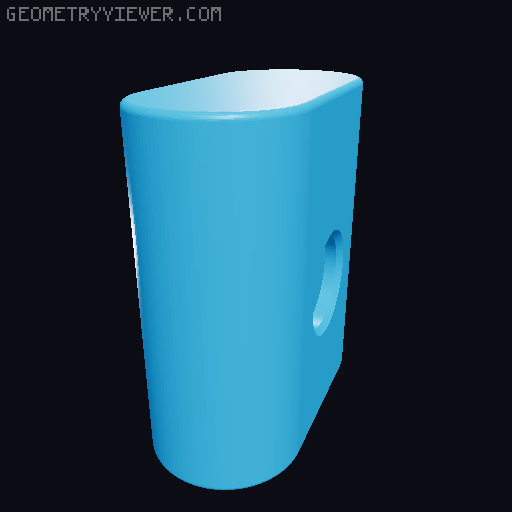
BAMBU LAB SCRAPER 2.0
by TheLightSpeed! · via Printables
| Format | STL |
| Category | Other |
| License | CC BY-NC-SA |
| Triangles | 15.6k |
| Uploaded | Nov 25, 2022 |
⬇ 5.0k downloads
❤ 296 likes
👁 29.2k views
Description
Anyone who has a Bambu has a love/hate relationship with the Scraper tool. It's awesome. But it sucks because they give you a magnet for it that has to be the weakest magnet known to man. Plus is a aluminum printer… so? Anyway, the “holster” it comes with also has this same bad magnet. Doesn't stick to anything. So I initially wanted to redesign the magnet to accept a real neodymium Magnet. The magnets I like to use are the 15x3mm magnets you can easily get from Amazon. https://amzn.to/3V8c96v afflink. So I tried to mod the Stl and that's a horrible process of crashing Fusion etc. So I started from scratch and spent a better part of my day copying the original design, and adding my tweaks along the way. So this bad boy prints exactly like the og one. BUT, the lettering is on the opposite side of the Magnet, so it can proudly display the BAMBULABS logo. It can accept one or two of the 15x3 Magnets… up to you. UPDATE: THIS IS NOW BOTH A “COLOR SWAP” OR THE NEW MMU MODELS. HOPE THIS HELPS. After you get past the lettering, do a pause for magnets… You want to put the pause AT THE FIRST LAYER AFTER YOU INSERT THE MAGNETS. So essentially it will “bridge” over the magnets. If the magnets stick to the nozzle (might happen) put a dab of glue or bubble gum in the hole before you put the magnet inside. Lastly is the “HOLSTER” again this OG one, had the magnet on a weird side, and it's useless. This one is held up by the same type of magnets (if you're keeping count, we need a total of 3 now)… But when you mount the holster, you will see the Bambu logo on the holster, AND the tool. Keep in mind I am testing printing as we speak, but I am 99% certain I got all the measurements right. lol Print at your risk. NEW UPDATE: So there is a folder MMU; in this are the files if you want to go the MMU route. If you want to do color swap you can do that too in the regular folder. If you are using a 0.6 (like me) you want to enable "thin wall detection) Enjoy…
Originally published on Printables





