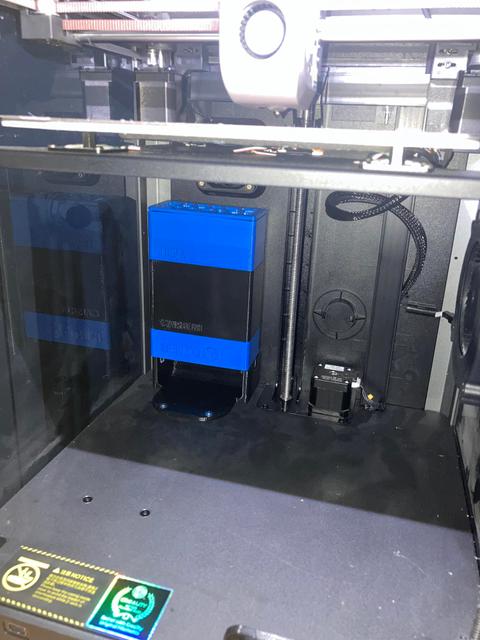
Bento Box v2 fan duct for Creality K1 | K1C
by Formi · via Printables
| Format | STL |
| Category | Art |
| License | CC BY-NC-SA |
| Triangles | 6.8k |
| Uploaded | Feb 5, 2025 |
⬇ 756 downloads
❤ 182 likes
👁 11.1k views
Description
For those with the K1 model, I have specifically crafted a fan duct that conforms to the real-world constraints of this model. It attaches to the lower frame of the printer, requiring only the substitution of the original screws with longer variants (M4x8 or M4x12) to accommodate the added component. Where to buy the items: Since my links become outdated, please refer to the original post. There are links for the 4020 Fans , HEPA Filters , and Magnets . HOW TO RUN THE WIRING: If you have bought the fans from the Aliexpress link above they should have the correct connectors. Connect the fans in parallel and run the wires through the duct as shown in the picture below: 📷 Image redacted — claim this model to add your own media Then connect the fans to the PA0 connector. Please refer to this motherboard pinout link to connect it properly. https://github.com/CrealityOfficial/K1_Series_Annex/blob/main/pin%20out/motherboard-pinout.JPEG Once you have it connected like this you will need to add this block of code to your printer.cfg file: [output_pin bento] pin: PA0 pwm: True cycle_time: 0.0100 hardware_pwm: false value: 0.00 scale: 255 shutdown_value: 0.0 Then you should be able to control the bento from the Mansail/Fluidd interface! For users using OrcaSlicer here are the material settings to automatically turn on and off the bento for the print! 📷 Image redacted — claim this model to add your own media
Originally published on Printables





