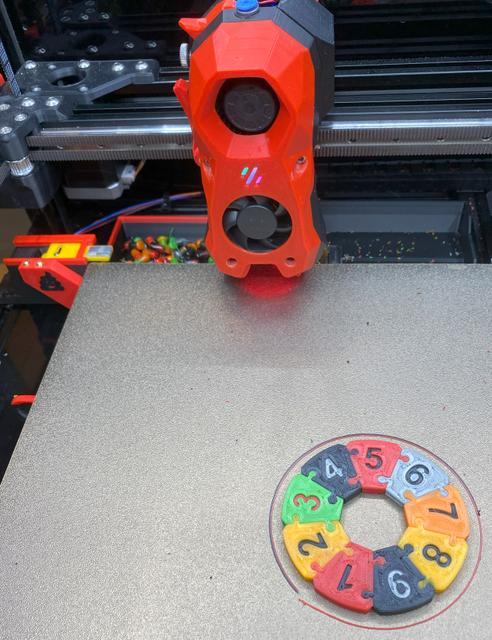
Blobifier for Voron 2.4 350mm Printer
by jmillerfo · via Printables
| Format | STL |
| Category | Art |
| License | CC BY-SA |
| Triangles | 11.4k |
| Uploaded | Apr 5, 2024 |
⬇ 352 downloads
❤ 71 likes
👁 4.1k views
Description
Build Instructions: Print Blobifier and optionally Brush Holder and associated Bucket-Brush, Install M3x2 Magnet into Bucket-Miller350, Install 4 Heat Sets into SB_Shaker_arm, Install the SB_Shaker onto the SB_Shaker_arm using 2 M3x8 FHCS screws, Install the above assembly onto the Bucket-Miller350 using 2 M3x8 FHCS screws, Cut a 17.2 x 12.4mm PCB Board from a larger Prototype board. This will be used to mount the JST-XH connector. See BOM for recommended Prototype board. It is highly desirable that whatever board that the cut is made from has interconnected columns of plated through holds and such columns are at right angles to the JST-XH connector as well as the A3144 Hall Effect Transistor. This is to ensure that wires soldered to the PCB also connect to the JST-XH connector and A3144 Transistor, Cut an additional 14.35 x 9.75mm PCB for the Hall Effect Transistor. See above comments, Cut the servo Wiring to a 60mm length as measured from the servo body, Cut 3 wires (Red, Black, Blue) to a length of 60mm. These wires will be used to connect the A3144 board to the JST-XH PCB, 📷 Image redacted — claim this model to add your own media Form the A3144 leads as follows. The larger flat surface of the transistor must face outward when soldered to the PCB: Carefully bend the outer two legs of the transistor outward at a 90-degree angle. This is necessary to afford leg separation for the 2.54mm PCB Hole Spacing, Now bend all three legs downward at a 90-degree angle, Insert the A3144 into its PCB as depicted in the picture above, Solder the A3144 and the 3ea 60mm wires to the A3144 PCB as indicated. The wires should be as follows from left to right as viewed from the transistor side: Blue - Signal (Ground = Installed) Black - Ground Red - 5Vdc 📷 Image redacted — claim this model to add your own media 📷 Image redacted — claim this model to add your own media Solder the other end of the A3144 wires to the bottom JST-XH PCB plated through holes (pictured above) from left to right as follows. Note: Pins are numbered with respect to the JST-XH connector. There may be unused holes either side of the connector pin columns: Black (Ground) Red - 5Vdc NC - Not Connected Blue - Bucket Installed Signal Solder the 3 servo wires to the JST-XH PCB next higher row left to right as follows: Black (or Brown) - Ground Red - 5Vdc Orange - Signal Solder the JST-XH connector to its PCB. Note the connector orientation in the photo above. The connector is mounted on the opposite side from the wires that were previously soldered to the PCB, Install the servo into the Base_Miller350 from the top of the part. Carefully route the wiring harness to insure it is not damaged. The mount for the servo is purposely tight fit but it should slide in without any modification, Secure the Servo using two M2x6 SHCS Screws or equivalent, 📷 Image redacted — claim this model to add your own media Install the two PCBs in their respective slots. The PCBs should be flush with the bottom of the base if properly installed, Construct a wiring harness long enough to reach the controlling MCU. Using a JST-XH female connector oriented with the locator strips up and viewed from the cable end, wire the connector from left to right as follows: Black - Common Ground Red - Common 5Vdc Orange - Servo Signal to Servo Blue - Signal from A3144 Terminate the opposite end of the cable as required by the MCU. Note: The wire order differs from the one in the original Blobifier Design. Due to space limitation the wire order follows the servo wire order to avoid wire crossover in tight spaces: Servo Wiring: If using an Octopus 1.1 MCU, the suggested connection for the servo is the BL Touch port, if available. Use the servo wiring portion of this port. In the alternative any output capable port should work. Make sure that it either has a pull up resistor or is capable of providing same. The BL Touch port is specifically designed for servos. It also provides 5Vdc output which is required by the servo. Many other ports only provide 3.3Vdc which is inadequate for servos. A3144 Wiring: Connect the Blue wire to a digital input capable port. This port must have a pull up resistor or have the capability to have one specified in the configuration file. If using the Octopus 1.1 MCU, you can wire the Blue wire to the signal pin of a JST-XH 3 pin connector and insert it into any of the Endstop ports (PG6, PG9-PG15). The following Octopus 1.1 ports and pin specifications have been verified: Servo: PB6 A3144: ^!PG15 (Inverted with pullup resistor) Connect the Base to the wiring Harness, Install the Base so that the tray is just aft of the Print Bed, Configure Blobifier as described on GIT Hub and in the .cfg files, Issue BLOBIFIER_SERVO POS=out command from the console, Install the Servo_Arm using an M2x6 FHCS with the arm pointed outward (Tray Extended), Install the Tray onto the Servo_Arm using M2x6 SHCS screw, Extend ( BLOBIFIER_SERVO POS=out) and retract ( BLOBIFIER_SERVO POS=in) the Tray several times insuring smooth operation. Happy Multimedia 3d Printing
Originally published on Printables





