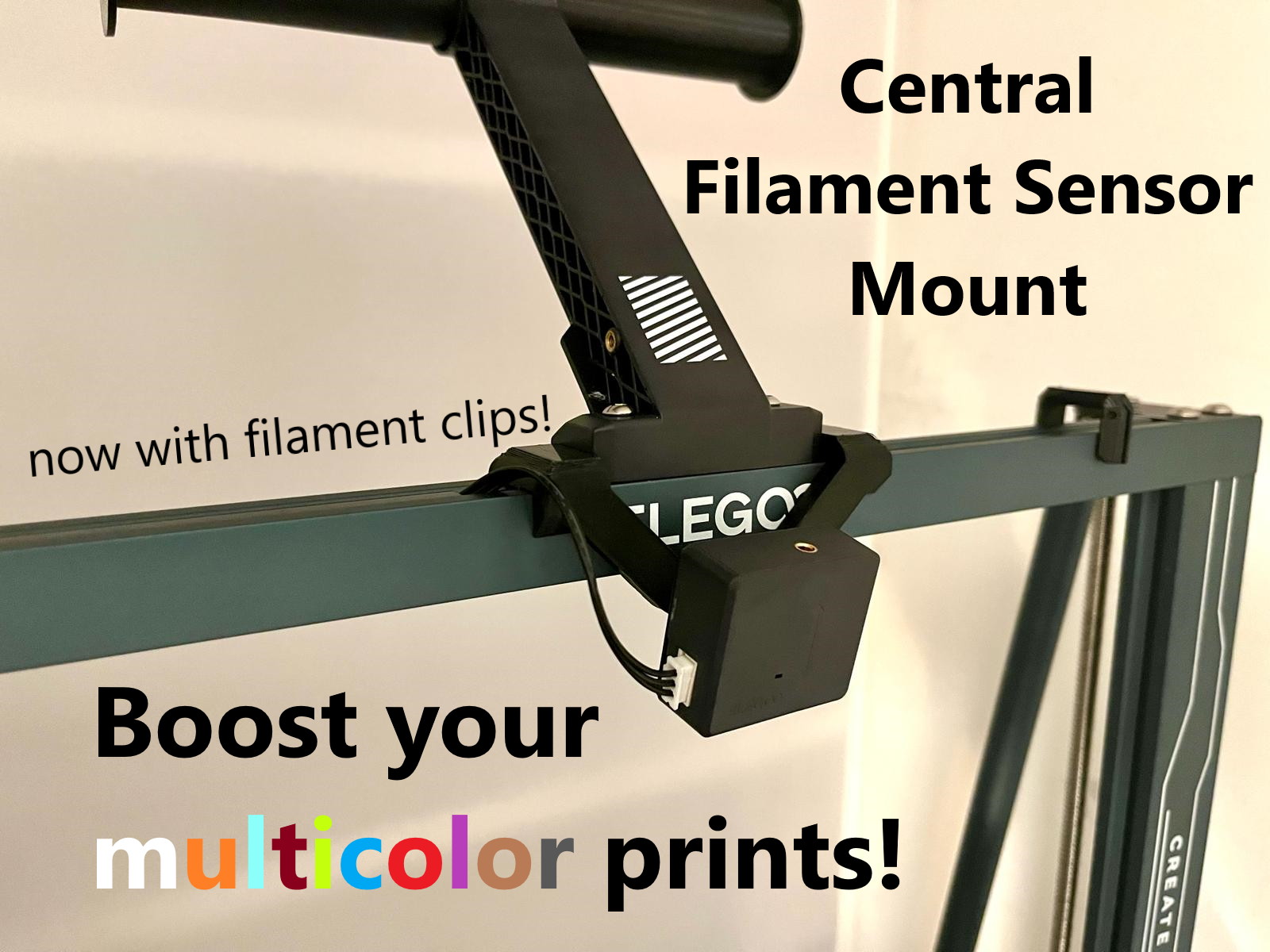
Boost your multicolor prints! Central filament sensor mount with filament clips for single / double spool configuration for Elegoo Neptune 3 / 4 Pro Plus Max
by The Kit Card Guy · via Printables
| Format | STL |
| Category | Art |
| License | CC BY-NC |
| Triangles | 2.7k |
| Uploaded | Jul 16, 2024 |
⬇ 4.4k downloads
❤ 651 likes
👁 19.2k views
Description
Update 16.03.2024: A new version (V3) is now available and got slightly changes to fit better into the extrusion. Feedback very much appreciated! Update 02/2024: V2 is now available. This version contains filament clips on both sides! See last picture. Supports simple and quick filament change / color change You can easily and quickly change the filament / color with a second spool holder (I used this one ). Meanwhile, you can prepare for the next filament change without having to rush. Additionally i recommend the “ Elegoo Neptune Filament Clip - Color Change Buddy ”. Edit: V2 got these! Use M600 gcode command or pause print command at needed layer. Better guidance and tension With this holder, you move the filament sensor to the center below the spool holder and thus improve the guidance and tension of the filament. Compatible with all 2020 V-Slot extrusion rails The holder is specially designed for the following Elegoo models: Neptune 3 Plus / Max Neptune 4 Pro / Plus / Max Neptune 3 Pro and 4 (standard) got its own version as these models do not have 2020 extrusion! This is attached with the two screws of the original spool arm. Longer screws should not be required! Print The model is designed to be very accurate / tight. If you have not calibrated your printer, it is better to print the model with +- 1-2% scale. Print up side down and use supports. Installation 1) Unscew the filament sensor and the brace and keep all scews. 2) Simply place the holder over the spool holder and press from above - it snaps into place audibly. 3) Install the filament sensor - No additional screw necessary, simply use the existing one from the filament sensor. Do you like my work? I would be very happy if you would support my work on Ko-fi .
Originally published on Printables





