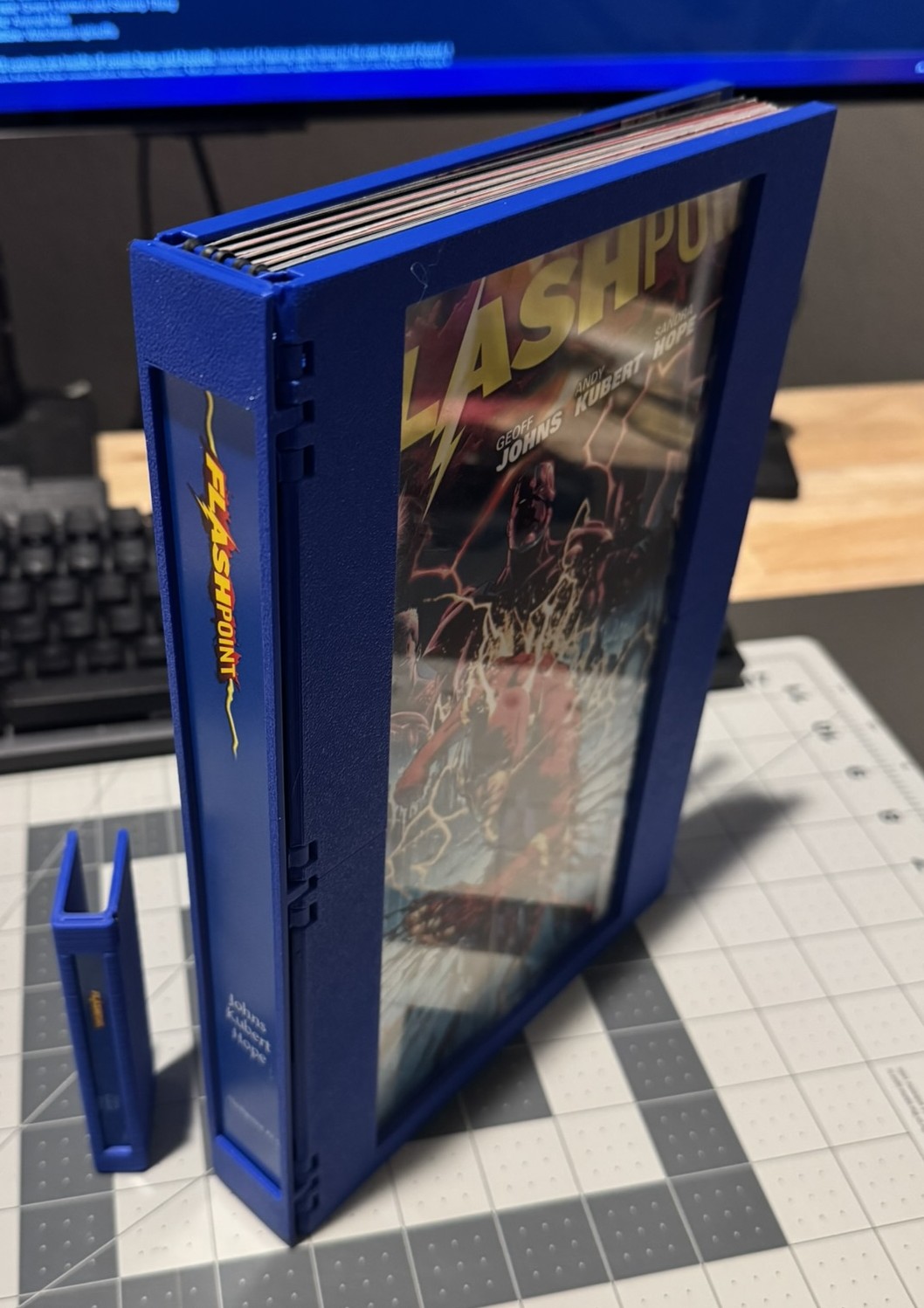
Comic Book Hardcover Binding
by pixillated · via Printables
| Format | STL |
| Category | Organisation |
| License | CC BY-NC-SA |
| Triangles | 165.1k |
| Uploaded | Oct 15, 2025 |
⬇ 21 downloads
❤ 14 likes
👁 350 views
Description
As a comic book fan, I've got no interest of putting all my issues into boxes inside my closet. I own comics to read them, and not just once. It'd be great if I could put them on my bookshelf, alongside my hardcovers and trades. Thanks to my 3D printer, I can! So I created the Comic Book Backstrip , a minimalist holder for multiple comic book issues. But I wondered, could I take this further and print a full hardcover binding? Thanks to the design I've remixed this from, I found my answer. The Hardcover The Comic Book Hardcover Binding is a 3D-printed binding to hold individual comic book issues into a plastic hardcover. It includes a recess on the spine for a printed label. I've included a zip file with one Krita file for the label. The font I use is Gentium Plus. Each comic is ‘bound’ to the track model using rubber bands. You put the rubber band around the spine of a comic in the middle of the book, where the staples are visible. You then put the outside-facing band around the track. Bands come in different sizes, and this is important for our use here. There is a size standard for many manufacturers; #18 or #19 would be best. These are both 1/16th width, the thinnest available. Length is 3" or 3 ½" respectively. I found something I think works better that is outside this standard: black colored 1/16" rubber bands at 4 4/5" length. Disclaimer : this is a chance of damaging your comics. The shorter your bands are, the more stress they put on the comic once it is bound. Beyond that, it can get tricky getting the rubber band around the comic to begin with. The way I do this is I have one side of an open comic hanging off my desk, and then pull a rubber band with both hands, and slide it in. Don't shrink the band back until it's over the spine; do it early and it can pinch the pages. The track has slots for each comic. Each slot is sized to fit a comic book issue up to 42 pages. (Original design was smaller, and I found that Absolute Batman #1 was too big for it.) There is a slot to slide in a label on the spine. The height of each spine label is constant, 250mm. The width needs to change depending on how many issues are bound: 3 issues: 18mm 4 issues: 22mm 5 issues: 26mm 6 issues: 30mm I use double-sided tape to help the label not sag out, but I've found the surface of the spine when support is used makes it really difficult for the tape to stick to the print. The front cover comes in two versions: the full pattern like the back cover, or a windowed cover. The idea behind the window is to glue a sheet of clear acrylic. I used Clear Plastic Sheet by Studio Decor at Michaels. The window will need to be cut 128mm x 250mm. Used superglue to attach the clear window and the joiners. The Files Each book will need: 1x Track (sized for issues three through six) 1x Spine (sized for issues three through six) 1x Front Cover Top (pattern or window) 1x Front Cover Bottom (pattern or window) 1x Bottom Cover Top 1x Bottom Cover Bottom 6x Clip 3x or 4x Joiner (window front cover uses 1, pattern cover uses 2) 2x Window Border (optional, if you want added cover after adding a window) The zip file includes one Krita file, spine label template. History of the Project Shortly after completing my Backstrip project, I began to wonder if that was the extent that I could take my goal of adding my collected comic books onto my book shelf. While I think the Backstrip looks great on the shelf, the worst part of it is when you're actually reading the books. (At the moment I'm doing this with Hickman's Avengers run.) You either are taking out each issue one at a time, and swapping them in between, or talking them all out at once. What if there was a way I could read these comics in a binding, like a hardcover… but something I could print? I figured I would use rubber bands to bind the comics to the spine, but wasn't quite sure how I'd model that. But more importantly, I couldn't figure out how to connect covers to the spine. I thought this idea would fade away, until I saw Ferro_Ignis's Hexbook design. This was just what I was looking for! I reached out to them asking for source files, and they provided. Printing All files are printed as they are oriented on the board. I print the spine with support (on bed only), all others with no support. You'll need to turn the track and spine 45 degrees on most printers to have them fit. The covers are split in two since they wouldn't fit on most printer beds otherwise. I highly recommend using a brim with the track. A six-issue hardcover uses about 200g of filament, if using the windowed front cover. If both covers are the full pattern version, it's about 278g.
Originally published on Printables





