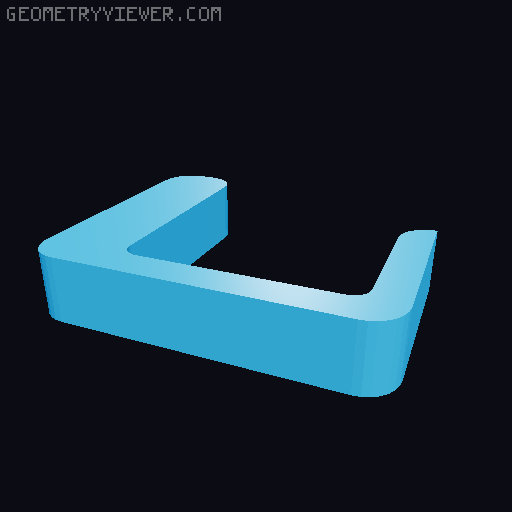
CR-200B C.R.I.P Compact oRbIter adaPter with 4010 Dual fan mount Toolhead
by BcuzAja · via Thingiverse
| Format | STL |
| Category | Mechanical |
| License | CC BY-SA |
| Triangles | 240 |
| Uploaded | Mar 17, 2026 |
⬇ 76 downloads
👁 42 views
Description
4010 Dual fan Mount and Orbiter V2.0 Adapter for CR-200B. without sacrificing printer build volume*. yes, we still use original hotend shield/fan mount/shroud. -Dual Fan for dual fan, just print L Side Panel Fan Mount. the L Side panel can be use as cable cover too. fan duck remixed from : https://www.thingiverse.com/thing:4920544 -Cable Management an try hard clean adapter solution for clean cable management for CR-200B Toolhead. there is an groove for cable line. do NOT forcing adapter when installing/ screw it down. it can pinch the cable (yes my cable kinda pinched) for fan mount, you can tape it with electrical tape before screwing in for orbiter adapter, don't force to slide it in. it should slide with little snug, and stay flat on top. and the cable can slide around inside groove . if you use orbiter filament sensor, you can slip-it-in the cable underneath orbiter when screwing in to adapter- be careful to not pinch it. (yes my cable pinched again) the cable should be very loose and can pull/push around easily. or just make the cable goes to front. also, an cable holder is a must. without it. the cables can be pinched when homing the toolhead. -Build Volume i put asterisk at build volume,because orbiter with lid-on, yeah- it hit the lid only when homing. when printing there is no problem. the toolhead zero with an 6mm gap Xaxis. Solution for lid-on, we must change the printer config. give the offset about 10mm in X axis. at probe and home offset. if your toolhead to close when goes to G1 X200, because there is an about 6mm gap at the first time. so we can add more about 3+/-mm. -mine was set to 12mm offset. (if i remember maybe) because there is no way to adjust the Xswitch offset at hardware. yes, we must open the upper panel and put the XSwitchOffseter.stl to the upper xbelt holder(?). -idk the name of that black thinggy. there is an photo of that. your offset might be difference with my machine. so play it around with offset setting. -Notes when Print: there is 2 file bracket for right side. an extra 1mm and without 1mm spacer. try them around. mine was without spacer but with 1 mm washer (so it is same- maybe). the key is, adapter plate for Orbiter must flat on top surface of toolhead. mine was little bit crocked (well since i never re-print the correct hole cover) the latest file should be lineup each other. you can check it before print it. if there an problem, just please comment an feedback 🙏🙏🙏 -Print Setting Filament : PETG/ABS Support : as needed -Part List Heat insert: M3x3/4 Heat Insert x 8 M2x3 Heat Insert x 4 - 2 for 3010 fan Screw : M2x7 Tap Screw x 4 -for dual fan M2x6 Screw x 2 M2x12 Screw x 2 - for 3010 fan M3 Screw x 6 M3 Countersunk Screw x 2 Fan : 3010 Fan x 1 - if wanted mount 3010 fan next to orbiter 4010 Blower x 1 - for dual fan -Extra Video https://youtu.be/nBb4EnX8Lyk https://youtu.be/-6pSksEBngw
Originally published on Thingiverse



