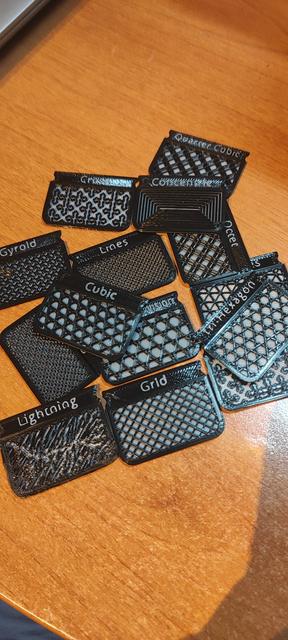
Cura Infill Sample Swatches Version 2
by Noemi · via Printables
| Format | STL |
| Category | Gadgets |
| License | CC BY |
| Triangles | 36.9k |
| Uploaded | Jun 24, 2024 |
⬇ 39 downloads
❤ 3 likes
👁 168 views
Description
Recommended slicer settings, from the original post: Layer Height 0.2 Top/Bottom Thickness 0.4 Top Layers 0 Wall Thickness 1.2 (Wall Count 3 with Line Width of 0.4) Print Thin Walls yes Infill Density 35% When loading the .stl split the model into separate objects using the Mesh Tools plugin. Select each swatch tile and add a per model setting for Infill Pattern , set to the appropriately to match the tile name. Second .stl file is with a little square to change filament colour. I printed the swatches in white and black to better see the infill pattern. With said settings filament change should be added at layer 2 and layer 3.
Originally published on Printables





