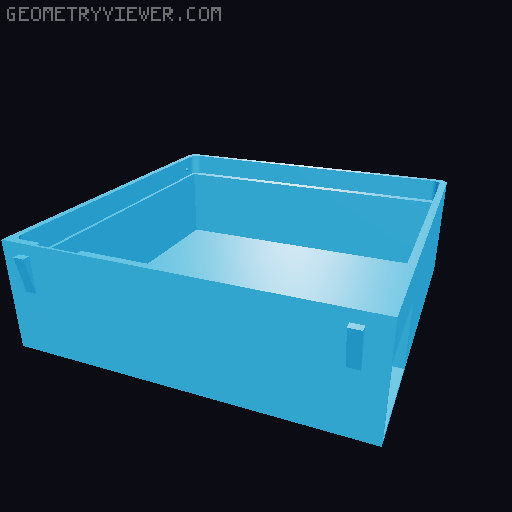
Customizable pixel box on desk v2.0 - different sizes
by PrintedGuy · via Printables
| Format | STL |
| Category | Art |
| License | CC BY-NC-ND |
| Triangles | 1.4k |
| Uploaded | Jul 28, 2023 |
⬇ 1.5k downloads
❤ 952 likes
👁 7.9k views
Description
Hi everyone again! Thank you for a lot of ideas, comments, feedback and downloads of my (silver winner in design contest ): v.1 Pixel Box project ! I'm so sorry you that you had to wait so long, but after a loooot of working, testing and spend a lot of filament I finally made new pixel box v.2. Fully upgraded with new features and with YOUR ideas. Update 29.07.2023: Test grid and pixel before print it more As we know, every printer and type of filament affect the printout. Print “tester_grid 4x4” and 4 pixels version to choose the best match for you. Version 3 “-0.35mm” was the best for mine printer. Im Slicing grid in Cura. Specification: Black (grid): Colorfill Filament with nozzle temp. 200 / temp. table 60 / fan 100 White (pixels, box and drawer): Colorfill Filament with nozzle temp. 180 / temp. table 60 / fan 100 Print all as in the file. Do not forget to turn on supports for pixel box (for drawer hole). Legs in pixel box doesn't need any supports, they print very well. !!! New MASTER PIXEL (pixels from the first version do not fit) !!! Now there is one pixels for all boxes. Just duplicate it as more as you want. I prefer 80-100 on the beginning of your journey. Use different colors to create something more personal. Special features: 📷 Image redacted — claim this model to add your own media 📷 Image redacted — claim this model to add your own media 📷 Image redacted — claim this model to add your own media 📷 Image redacted — claim this model to add your own media Box walls doesn't need any supports - finally! Small tabs for hanging better pixel grid in pixel box. The new model does not need any screws! Additional walls inside stop pixel grid in right place. Finally you have drawer to store remaining pixels! Use drawer to store them. Big enough to store many pixels in every box size. Optimize pixel size - one pixel match every type of pixel box. Not to small for good print quality and not to big for make all pixels fit in every pixel box size Optimized design Walls are thinner but stable. Faster printing and less filament needed. Problems with take pixel grid out? Take it out by finger, using special place to pop out pixel grid. If any pixels won't get out, just open the grid and push them out from the inside pushing special pixel leg :). Pixel accidentally dropped out? Small stand legs under box for better view of you pixel art and prevent pixels from possibly falling out (but they stick perfectly - confirmed by your opinions ). I have tested many sizes and colors to match it perfectly. Choose your size and create whatever you want + sample ideas below. Rectangle: 12x30px - Great for texts (placed under the monitor). Contain most of the pixels singular words with 4x3px or 3x3px letters. 18x30px - Great for texts and 8-bit characters. Square: 14x14 px - Circle(like PacMan), Heart, skull and others small icons. 20x20 px - Mario and Mario question mark box, PacMan all characters, Galaga Space. 30x30 px - Hands, Text + 8-bit character, 2 lines text. 40x40 px - Donkey Kong, Contra, Adventure Island(love it), Popye, Pixel-art picture. Looking for more inspiration? Just search: “pixel text”, “pixel on grid” or “8-bit characters” and bring it to your reality, directly to your desk. I will be grateful for any of your feedback and comments :). Buy me a beer If you like it and you appreciate my work. I am collecting for a better printer - Prusa ;) Check out my v.1.0 Pixel Box HERE
Originally published on Printables





