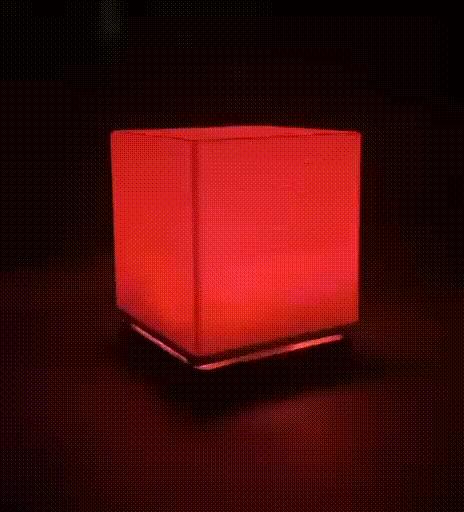
DIY Smart Ambient Lighting
by AtaCanYmc · via Printables
| Format | STL |
| Category | Electronics |
| License | CC BY-SA |
| Triangles | 8.1k |
| Uploaded | Mar 28, 2026 |
⬇ 1 downloads
❤ 2 likes
👁 21 views
Description
If you’re looking to add a splash of color to your desk or create a cozy atmosphere in your room, building a smart LED lamp is one of the most rewarding entry-level electronics projects. In this post, I’ll walk you through how I built a 12-LED NeoPixel ring lamp controlled wirelessly via the powerful WLED ecosystem. Before we dive into the build, let’s talk about the brain of the operation. WLED is an open-source web server implementation for ESP8266/ESP32 boards to control NeoPixel (WS2812B) LEDs. No Coding Required: Once flashed, you don’t need to write a single line of C++. Mobile App: Control your lights via a sleek Android/iOS app. Seamless Integration: It supports Alexa, Home Assistant, and syncs with other WLED devices. The Components To replicate this build, you will need: Microcontroller: Wemos D1 Mini (ESP8266) LEDs: 12-bit NeoPixel Ring (WS2812B) Software: WLED Native App and WLED Web Flasher Step 1: Flashing the Firmware The easiest way to get WLED onto your ESP8266 is using the WLED Web Installer . Connect your Wemos D1 Mini to your computer. Open the site in Chrome. Select the latest version and click Install . Once finished, connect the ESP8266 to your local Wi-Fi. Step 2: The Wiring The connection is straightforward. The NeoPixel ring typically has four pins: VCC (5V), GND, DI (Data In), and sometimes DO (Data Out) . VCC -> Wemos 5V GND -> Wemos G DI -> Wemos D4 (Default GPIO 2 for WLED) Step 3: Configuration & Magic After the hardware is ready, open the WLED App on your phone. It should automatically detect your “WLED-AP”. Go to Config > LED Preferences . Set the LED Count to 12. Enable the Automatic Brightness Limiter and set it according to your power source (e.g., 500mA for a standard USB port). Now comes the fun part! You can choose from over 100 built-in effects like “Rainbow Runner,” “Fire 2012,” or “Aurora.”
Originally published on Printables





