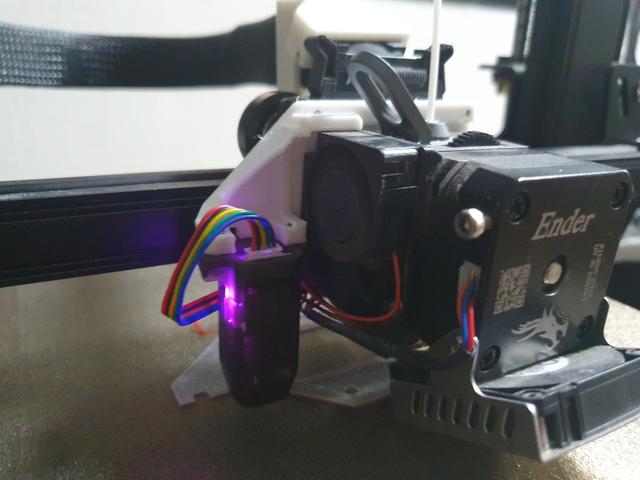
Ender 3 S1 (Pro) ABL Fix
by linycv · via Printables
| Format | STL |
| Category | Art |
| License | CC BY-NC |
| Triangles | 1.9k |
| Uploaded | Jul 8, 2024 |
⬇ 155 downloads
❤ 32 likes
👁 1.8k views
Description
Bed leveling fix for Ender 3 S1 models. Follow word doc instructions or reposition ABL using provided files Doc source: https://www.facebook.com/groups/602529180853579/permalink/723427122097117/?fs=e&s=cl The following can be done with custom firmware without using pronterface: https://github.com/ThomasToka/MarlinFirmware/releases/latest To set probe offset for the included model, run: M851 X-44 Y0 Z0 Before disassembling the printer or changing the mounting plate, manually try to level the bed as flat as possible. Below can be used with pronterface; install CH340 driver if pronterface cannot detect printer. Get current bed mesh values using M420 V . Turn the 4 knobs base on the reported values at the 4 corners Run G29 auto bed level to get the new adjusted value Repeat steps 1 and 2 until leveled (optional) Visualize the bed mesh to check if the bed is warped beyond saving ( http://lokspace.eu/3d-printer-auto-bed-leveling-mesh-visualizer/ ) use 0 offset mount if the bed cannot be leveled properly and doc instruction didn't help. (Recommended to print with PETG, PLA breaks quite easily) Category: 3D Printer Parts
Originally published on Printables





