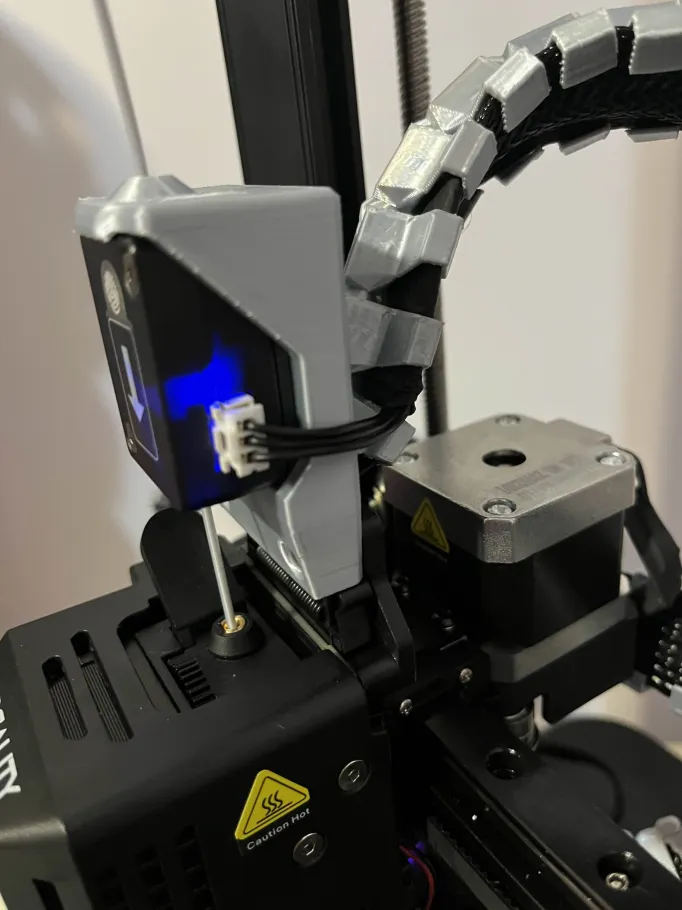
Ender 3 V3 SE/KE Filament Sensor Mount on printhead w/Spine Cable Attachment
by DHecker · via Printables
| Format | STL |
| Category | Art |
| License | CC BY-NC-SA |
| Triangles | 6.3k |
| Uploaded | Jan 23, 2025 |
⬇ 231 downloads
❤ 39 likes
👁 1.2k views
Description
Installation: Detach the filament sensor from its original location. Fit the sensor into the mount by tilting the sensor so that it snaps into the top tab of the mount and press to fit the tube from the plate. Screw the plate onto the back of the mount using the original screw. Screw the mount with the sensor using the two original screws to the print head. For better convenience and aesthetics, it is recommended to reposition the filament sensor cable through the print head's cable assembly, but this requires some disassembly of the printer and is not necessary.
Originally published on Printables





