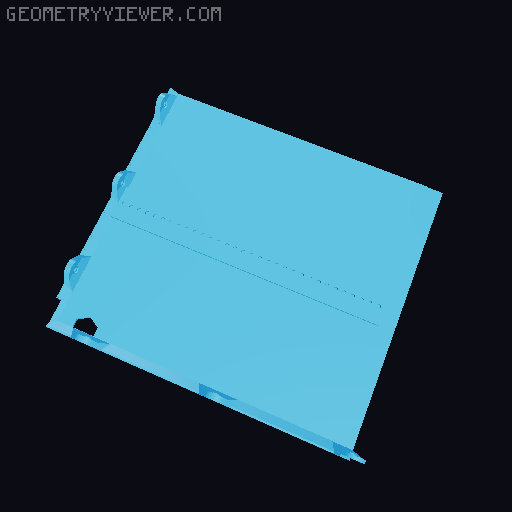
Ender NG 1.2 - Ender 3 Max Neo / Ender 3 Max Conversion
by ClockworkIdiot · via Printables
| Format | STL |
| Category | Art |
| License | CC BY-NC-SA |
| Triangles | 10.4k |
| Uploaded | Dec 22, 2025 |
⬇ 135 downloads
❤ 68 likes
👁 2.1k views
Description
Please note: these instructions and files are provided as-is without any form of warranty. For all I know they may not work at all and accidentally conjour a hellbeast when assembled. You are your own problem and ClockworkIdiot does not accept any responsibility or liability for any losses, injuries, harm, gallstones, or miscellaneous foul things that may befall you in relation to this project. ClockworkIdiot does accept responsibility for your lottery win and seems to remember that you promised him half. All design is shamelessly pinched from the excellent RH3D and his Ender NG project here: https://www.printables.com/model/922401-ender-3-ng-v12-corexy-conversion The donor machine was a Creality Ender 3 Max Neo of unknown provenance - this machine may have slightly different proportions to your donor machine and you should adjust the files accordingly. It should be evident which files these replace from the 'standard' ones in the NG release. If it is not clear, think about it a bit more and it'll come to you I'm sure. You should consider everything in this release as being in perpetual beta - Its worked for me, I hope it works for you. -------------------------- --- Extrusion Cut List --- -------------------------- This section uses the references to extrusions in 'Diagram.png', lifted from the beta build instructions. Numbers in brackets are the lengths of the extrusions I measured from my donor machine for your reference. It would be wise to check yours are the same or very close, even more so on the extrusions that are not being cut. A Extrustions (345mm) - No cut, may require M5 Tap B Extrustion (488mm) - _CUT_ to 421mm C Extrustions (566mm) - _CUT_ both to 485mm D Extrustion (401mm) - No cut, may require M5 Tap E Extrustion (416mm) - No cut, may require M5 Tap -------------------------- --- Electronics Panels --- -------------------------- Note - The electronics panels may well contract horizontally when printed due to being big and flat. If they do you will need to account for this in your slicer. For me this was ~3.5mm across the whole back panel, so I need to compensate by 0.8% or thereabouts ------------------------ --- X/Y Axis Scaling --- ------------------------ The bed on the Max Neo is 310 x 320mm, vs 235 x 235mm for the OG ender. Consequently, the X and Y dimensions of the build are 75mm and 85mm longer respectively. For the X and Y Linear rods, you will need to buy 4 x 450mm long 8mm linear rods and cut these down to fit. Final lengths: • 2 x 425mm • 2 x 435mm ---------------------- --- Z Axis Scaling --- ---------------------- Scaling the original NG design in the Z axis is entirely optional, although you will then need to do some more remixing for some parts. In my build I just added 100mm to the measurements in the BOM for the Z rods and leadscrews. Purely due to the additional size of this printer over the standard NG, the 'Ultimate' frame is recommended for stiffness. I used: • 2 x 450mm 2040 Rear uprights • 2 x 410mm 2040 Front uprights • 2 x 450mm 12mm Linear rods • 1 x 420mm 12mm Linear rods • 3 x 400mm T8/8 Leadscrews ------------------ --- Heated Bed --- ------------------ You will need to mount the bed carriage 90 degrees from its original orientation on the printer, then tap/screw in the usual manner. With the extra length in Z, you may want to consider wobblex. Bed arms for either printed anti-wobble springs and for using WobbleX are included in this pack. The WobbleX arms should also be compatible with the printed version found here: https://www.printables.com/model/717230-wx-the-printable-wobble-x ----------------- --- Enclosure --- ----------------- Its not all that easy to add an extra front door hinge in the middle as there's nothing solid to fix it to other than the side panel. I have stuck with the original design of 2 hinges and 2 latches, printing at 60% infill and hoping there's enough 'meat' to them to get the job done. I have added a position for an optional 3rd lid hinge, as this seems like a sensible thing to do with a big piece of plastic. Tophat section adds an extra 50mm to account for taller and longer umbilicals/bowdens (umbilici?). Afraid I don't have the skills to render a scaled DXF for laser cutting the panels. If you do, please let me know and I will happily include files in this zip. Below table gives dimensions of the longest measurements of the panels for the normal NG vs this version. It assumes you have opted to scale Z by 100mm. It doesn't take account of any little cutouts, corners etc. Panels are all 4mm thick, as per the original design. I did struggle to find 4mm black acrylic - 3mm or 5mm seem to be the standard sizes. 3mm black acrylic should suffice for the bottom panel, but I have gone for 5mm at the cost of a few pennies more for the small back pane as it gives a touch more strength for the lid. Panel Name 'Standard' (mm) NG Max Neo (mm) Top 395 x 428 465 x 513 Bottom 370 x 375 445 x 460 Back 365 x 140 440 x 190 Door 414 x 490 484 x 640 Sides 410 x 490 495 x 640 ---------------------------- --- Other Considerations --- ---------------------------- You will require a small number of additional fasteners, mainly around the electronics panel. I do not have an accurate count of how many or what sizes - good luck! 5m of open GT2 belts is still plenty for the AB drives. A belted Z with single stepper will need a 1340mm belt (or 1350mm if you also use a tensioner) Depending on the toolhead accessories you use, you may need a slightly longer klicky dock than the one in 1.2. I have included a couple of options. ------------------------ --- Additional Files --- ------------------------ Included in this zip are some additional files should you choose to use them. Printable back panel for the electronics enclosure Includes a different mount for the power plug - this mounts in the bottom left hand corner snug against the frame and directly attaches to the frame rather than to printed parts. It should allow you to reuse your existing C14 inlet from the donor machine. I have included a photo of my initial layout for the electronics compartment so you can see approx where things should be to line up with the cutouts. Taller Klicky Toolhead Mount - Running a V6 Volcano and a standard solderless klicky probe, I found the stock klicky mount was too high off the bed. Blind Joint Drill Guide - Longer version of stock for drilling the correct holes for blind jointing the front uprights using my extended bottom frame. Longer Klicky Probe Docks - for added clearance when using a chunky backpack and the slightly longer rear bed arm. One version also sports a mount for a DS18B20 temp probe for chamber temperature. ------------------------------------------ --- Version History - This Version 1.4 --- ------------------------------------------ 1.4 • Added Printable Back Panel Files - Missed from 1.1 1.3 • Added WobbleX bed arm STLs • Updated Readme to account for these. 1.2 • Added Version History • Added Enclosure STLs • Updated readme information for enclosure 1.1 • Error fix on front bed arm STLs • Removed redundant folders • Added info about X and Y axis rods • Added Additional Files ○ Klicky mount for V6 Volcano ○ Klicky Docks ○ Blind Joint Drill Guide for NG Max Neo • Updated readme information for additional files 1.0 • Initial Release
Originally published on Printables





