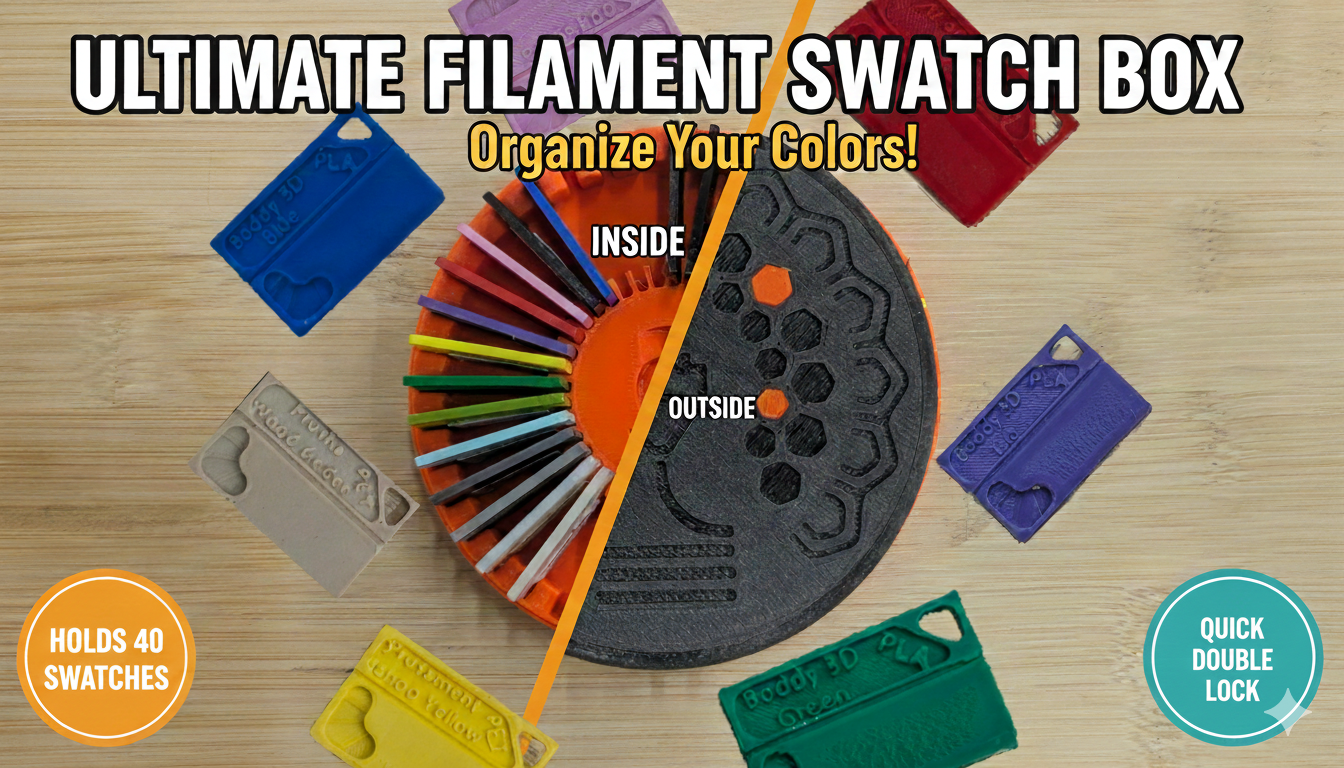
Filament swatch box
by Michal · via Printables
| Format | STL |
| Category | Gadgets |
| License | CC BY-NC-SA |
| Triangles | 259.6k |
| Uploaded | Feb 25, 2026 |
⬇ 5 downloads
❤ 3 likes
👁 82 views
Description
Universal case for up to 40 filament swatches, compatible with various designs from different creators. I used to keep my swatches in an IKEA Lack drawer, but I needed a portable solution for my transition to the Core One. This stylish box features a quick-locking system for easy transport. Max swatch dimensions: 29.8 mm (Length) x 18.9 mm (Height) x 1.9 mm (Thickness) Print Recommendations For the best results, print the case using PETG. For both the top and bottom covers, it is crucial to manually paint supports only for the latches. Avoid using 'supports everywhere,' as it would ruin the cover's decorative pattern. Before using the lock, carefully check that all supports have been completely removed. You will need to use a bit more force during the first few locking and unlocking cycles. 📷 Image redacted — claim this model to add your own media 📷 Image redacted — claim this model to add your own media The entire case is designed for printers without MMU. For the top cover, I’ve included two hexagon patterns (small and large). Both are designed to fit without glue, so a bit of force might be required during assembly. I recommend lightly inserting the hexagon from the front first, then flipping the cover over and pressing it against a flat table from the inside to snap it firmly into place. Swatches To print swatches with the full filament name (not just the material type), I recommend using at least a 0.25 mm nozzle. The letters are very small, and a 0.4 mm nozzle might make them unreadable, depending on your material and printer settings. I also recommend using ironing on the topmost layer only, in the direction of the short side. 📷 Image redacted — claim this model to add your own media If needed, you can use a paper label with the material name instead For the best results when adding manufacturer and color text, use these settings in the slicer First, add a text instance to the sample. Enter the manufacturer on the first line and the color on the second. Then, set the text height to 3 and the line spacing to -0.9mm. 📷 Image redacted — claim this model to add your own media
Originally published on Printables





