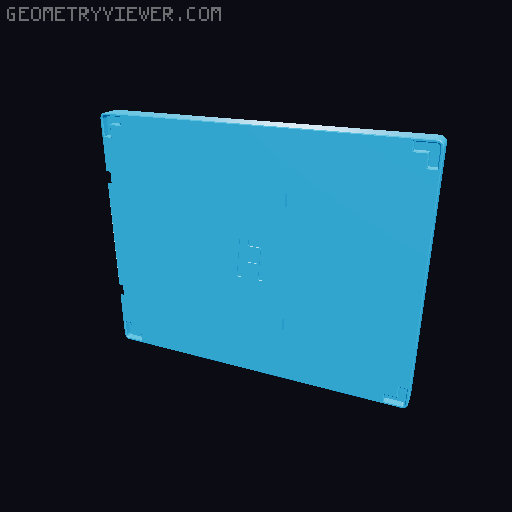
Fully printable Gridfinity box (parametric)
by Lennard Hoting · via Printables
| Format | STL |
| Category | Organisation |
| License | CC BY-NC |
| Triangles | 22.4k |
| Uploaded | Jan 11, 2024 |
⬇ 1.7k downloads
❤ 875 likes
👁 19.3k views
Description
Customize and add your modules to the box, create custom modules to build yourself a toolbox, screw storage etc… the possibilitys are endless! ====================================================================== Why so many parts you might wonder? The design goal was to make a fully printable, modular, expandable storage box that is strong enough to hold a good amount of screws, tools etc. and keep everything safely in its place. For that reason i designed all parts of this box to be printable in their strongest oreantations (i later realised printing them in different colours makes for an awsome look aswell!). Print the parts in what ever colours you want to make your uniqe box. Shout out to the users classy and Aleksander Spyra who inspired this design with their creations and mods. Of course all these parts sliding into each other requires you to hit some tolerances… can you make it? Dont worry, i got you. In the fusion 360 file you can find the parameter list in wich you will find parameters named "_play" at the end. You can use these to adjust the tolerances so you get a nice snugg fit with all your parts. I suggest you print a small version of the box first or a tolerance test to find out if you need to adjust something. The standard "_play" values are 0.1mm wich were used in the pre-exported versions. I have exported the sizes 4x7, 4x5 and 2x3. If you are looking for a different size, download the fusion 360 file and change the box by editing the parameters, all of wich have descriptions attached to them that explain their function. The pre-exported versions are set to a module height of 30mm, if you want to use different height modules, you can also adjust that in the fusion file, or scoll down and click the link to my parametric modules wich work perfectly with this box! ====================================================================== Material: As long as it it something rigid you are good to go, tpu might not be a good idea Settings: Layerheight: 0.2-0.3mm Infill: 20% Walls: 4-10 (for parts that carry the main load such as “topplate”, “hooks” or “axis mounts” i suggest using 6 walls, for the “axis” i reccomend using 10 walls to enshure they are 100% solid and as strong as possible) supports: only the “hooks” that keep all plates together require supports line width: 0.4-0.6 (Pro tip: if you are using a 0.4 nozzle you can increase the line width to 0.6 to safe some time during printing) ====================================================================== Click through the pictures to see my custom modules that i use on a daily basis! You can create custom gridfinity modules with the help of my " Parametric Gridfinity module with (optional) sign slot” . Link: https://www.printables.com/de/model/360839-parametric-gridfinity-module-with-optional-sign-sl Use them right away, or as a template to create custom tool holders etc… ====================================================================== UPDATES: -17.1.2023 Fixed the problem where in all folders were the same stl files, now all folders have the correct size files in them ====================================================================== Assembly: 📷 Image redacted — claim this model to add your own media #1 Push the baselate hinge mounts into their respective slots on the underside of the baseplate 📷 Image redacted — claim this model to add your own media 📷 Image redacted — claim this model to add your own media #2 push the locking brackets into the pockets next to the axis mounts 📷 Image redacted — claim this model to add your own media 📷 Image redacted — claim this model to add your own media #3 Push the axis trough the axis mounts, with the flat side facing down 📷 Image redacted — claim this model to add your own media 📷 Image redacted — claim this model to add your own media #4 push the hooks onto the axis and the baseplate is finished! 📷 Image redacted — claim this model to add your own media 📷 Image redacted — claim this model to add your own media #5 Here comes the trickiest part, at least it can be depending on your tolerances, it can require a little bit of force. Start with positioning one of the inner axis mounts in its postion. 📷 Image redacted — claim this model to add your own media 📷 Image redacted — claim this model to add your own media #6 Now slide the outer axis mount in from above, like the picture shows but dont push it down just yet. 📷 Image redacted — claim this model to add your own media #7 Chances are, your outer axis mount sits a bit too far in the back of the slot, push it forward until you can push it down into the pocket. 📷 Image redacted — claim this model to add your own media 📷 Image redacted — claim this model to add your own media #8 Repeat this for all the other corners 📷 Image redacted — claim this model to add your own media #9 Slide the axis trough the axis mounts, again, flat side facing down. If you have trouble doing that, check if your axis mounts all sit correrctly and at the same height in the pockets. 📷 Image redacted — claim this model to add your own media 📷 Image redacted — claim this model to add your own media #10 It is locking bracket time again! Push them in like you did during the baseplate assembely 📷 Image redacted — claim this model to add your own media 📷 Image redacted — claim this model to add your own media #11 Now lets see of you can handle this part ;D. Put the handle standoffs in their slots like the picture shows. 📷 Image redacted — claim this model to add your own media 📷 Image redacted — claim this model to add your own media #12 Flip the topplate and push the handle standoffs trough. 📷 Image redacted — claim this model to add your own media #13 See that little hole in the handle standoff? Thats where the handle lock pin is gonna go. It is only there to prevent the handle standoffs from sliding back down, not to carry any load while you carry the box around. Anyways, position the pin in the hole but dont use your fingers to push it in, it hurts! Instead you can use a flush cutter or any other tool or object and push it in like in the pictures down below. repeat this for the other side. 📷 Image redacted — claim this model to add your own media 📷 Image redacted — claim this model to add your own media 📷 Image redacted — claim this model to add your own media #14 Now all thats left to do is to slide the handle trough the standoffs. 📷 Image redacted — claim this model to add your own media 📷 Image redacted — claim this model to add your own media #15 Fill the baseplate with your favourite modules, tools, screws etc. and go for a walk with it! 📷 Image redacted — claim this model to add your own media 📷 Image redacted — claim this model to add your own media If you like what i am doing, you can support me here: https://www.paypal.com/paypalme/lennardhoting
Originally published on Printables





