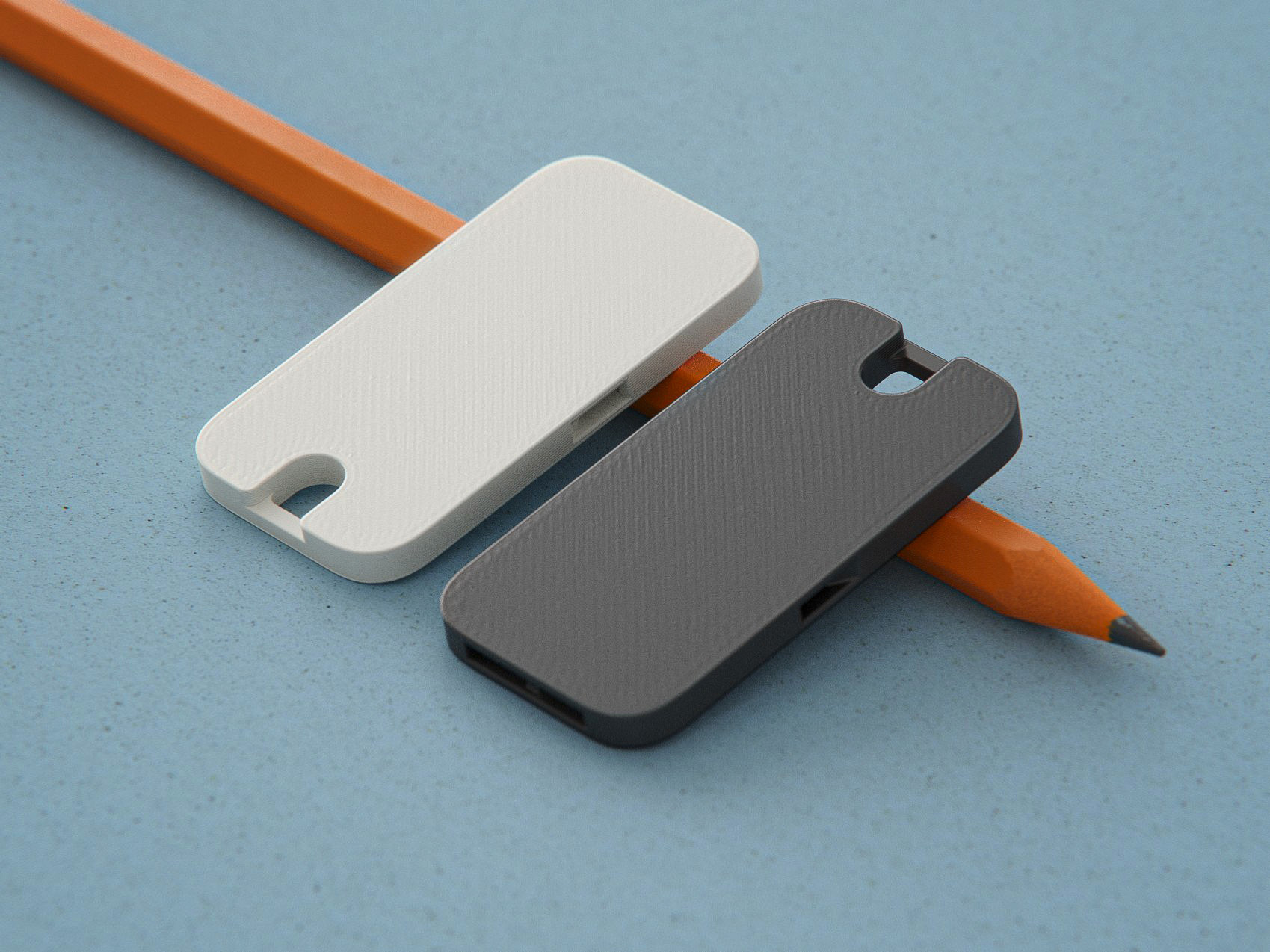
Gaggia Classic | Pro Scales
by Loogle · via Printables
| Format | STL |
| Category | Home |
| License | CC BY-NC-SA |
| Triangles | 37.0k |
| Uploaded | Feb 21, 2026 |
⬇ 4.4k downloads
❤ 277 likes
👁 32.5k views
Description
This assembly is for adding scales to your Gaggia Classic or Gaggia Classic Pro. Compatible with two HX711 boards or Vas' dual HX711 board. Requires 750 g load cells. Please use the assembly instructions at gaggiuino.github.io -------------------------------------------------------------------------- Print Instructions: Print all parts in “Base” folder. Note that you need 2 Flex Limiters and 2 Load Plates. There are 5 main drip tray options. Any of them will work with the scale base, pick one: GC Drip Tray : GC Drip Tray Adapter and 4 Drip Tray Spacers GCP Drip Tray : GCP Drip Tray Adapter (L and R) Low Profile 3D Print DripTray (no other adapters needed) Note: Recommend printing the _testSupport model and verifying quality before printing the 3D Print DripTray LP. Also, ensure excellent bed adhesion to avoid warp at the edges. Low-Profile Drip Tray : LP Drip Tray Adapter and 4 Drip Tray Spacers Note: designed for BaristaGadgets and Shades of Coffee (Pre 2019) low profile trays (may be compatible with others, but unconfirmed) 3D Print DripTray / LP (no other adapters needed) Note: not recommended unless your stock tray is broken Flat first layers are essential because clearances are so small. If you have flow issues such as elephant's foot please calibrate flow before printing or parts (magnets, load cells) may not fit. Print settings: PETG, 0.2 mm layer height, 0.4 mm nozzle, no support, 20% gyroid infill. 3-4 wall lines recommended for GCP drip tray adapters. Print orientations per model. Printing notes: Minimum print area is 150x150 mm The GC and LP drip tray adapters need a print area of 200x130 mm. Split models that only need 130x130 mm are available in the “Drip Tray Adapters - Split” folder. Print so that the axes remain consistent (don't rotate parts from the orientation they will be assembled in). Split parts intentionally have slip-fit tolerances to eliminate stress and warp in them post-assembly. Use gap-fill cyanoacrylate on the interface and clamp flat to assemble. 3D print drip tray requires 200x130 mm print area. A thin coat of epoxy resin / clear coat will help make it waterproof if your print has slight gaps left. Hardware needed: M3 Flat head screws 2 M3x5 mm nickel plated steel (must be magnetic) https://www.aliexpress.com/item/3256803315929210.html 6 M3x5 mm and 4 M3x4 mm (non-magnetic stainless steel) https://www.aliexpress.com/item/2251832760640149.html 2 thread-rolling/self-tapping screws for plastic (multiple options, pick one) M3x6mm self-tapping screws for plastic https://www.aliexpress.com/item/3256802230982244.html #4-20x1/4" thread rolling screws (local USA option) M2.9x6.5mm self-tapping screws for plastic (local EU option) 20 disc magnets, 5 mm dia. x 2 mm ht. https://www.aliexpress.com/item/3256803930463196.html Note: Most machine housings are magnetic - you only need 12 magnets if yours is not. The scales will still work but won't be held as securely. Gap-filling cyanoacrylate (super glue) 2+ 750 g load cells https://www.aliexpress.com/item/2251832483911236.html Note: Buying 3-4 load cells is recommended as QC isn't great and they may need modifications that can result in damage if done improperly HX711 interface board(s) https://www.aliexpress.com/item/2251832855509243.html 2 AliExpress HX711 boards OR Note: you may want to buy 3 as some people find them tricky to solder 1 custom dual-HX711 board from the Gaggiuino project 1 row 2.54 mm right angle (reverse bending) header pins (only need 5 pins) https://www.aliexpress.com/item/2255800474074961.html 1 5P JST XH or DuPont connector https://www.aliexpress.com/item/2255799940249067.html 1 Stripboard/protoboard (only need a small piece) https://www.aliexpress.com/item/3256801470993306.html 26 or 28 AWG Wire in Black, Red, Yellow, Blue (only uses ~1 m ea. if you're extremely efficient, order extra to be safe) https://www.aliexpress.com/item/2255800441309579.html NOTE: if you use the Vas DualScaleBoard you don't need the resistor 1 1KΩ resistor https://www.aliexpress.com/item/3256802484566250.html Assembly Instructions (OUTDATED, see gaggiuino.github.io ): Clean up load cells - The load cells I got came covered with adhesive in places it shouldn't be. Use a sharp razor blade and cut the adhesive away from the screw holes, being careful to not cut a wire or cut into the load sensing area. 📷 Image redacted — claim this model to add your own media Fit-up the load cells into the housing, re-trimming adhesive if necessary. If you went with the 2 different M3 screw lengths, use the 5 mm screws on the top to attach to the load cell housing and the 4 mm screws on the bottom to attach the flex limiter. Attach the load plate using one magnetic screw as noted and make sure there's a gap all the way around. 📷 Image redacted — claim this model to add your own media Cut the stripboard to size and cut off a group of 5 right angle pins 📷 Image redacted — claim this model to add your own media Do a quick fit-check with the base assembly. Note that the load cell housings are designed to be slightly loose so that parallelism issues in the sheet metal don't affect them. Slide the PCB retainer to check that the boards lock in. 📷 Image redacted — claim this model to add your own media Cut the load cell wires as shown (this provides extra for strain relief) and save what you cut off 📷 Image redacted — claim this model to add your own media 5.01 - DualScaleBoard only - cut the JP11 jumper 📷 Image redacted — claim this model to add your own media Use the leftover wires to solder the stripboard (the resistor is a 1kOhm SCK pull-up, not used with the Vas DualScaleBoard). Fit the board back up, measure wire lengths to the board (with extra) and cut to length. If necessary, trim backside wire tails so that the board fits in the housing. Now that wires are all cut to length, remove the boards from the housing and solder (don't solder in the housing, you'll melt it). When you're done it should look something like this: 📷 Image redacted — claim this model to add your own media Purple HX711 boards 📷 Image redacted — claim this model to add your own media Vas DualScaleBoard 📷 Image redacted — claim this model to add your own media At this point you can attach the center housing cover (slides on from the front) and screw it down with the 2 thread-rolling/self-tapping screws. Install magnets in load plates, load cell housings, and drip tray or drip tray adapter parts using the gap-filling cyanoacrylate. Holes are sized to only have 0.25 mm extra depth, so if a hole looks like it could fit another magnet put another one in. Make sure to match polarity of magnets on the drip tray adapter and the load plate so that it snaps in place. Note: If your magnet holes are undersized, brush over the edge with a hobby knife to slightly widen the hole, then partially insert the magnet manually. Press down on a flat surface to seat flush. 📷 Image redacted — claim this model to add your own media 📷 Image redacted — claim this model to add your own media Note: If you're using the old GCP Drip Tray Adapters and Clamps it's easier if you install magnets in the order shown below. Otherwise, the bottom magnets can spin the internal side-facing magnets as you try to install. 📷 Image redacted — claim this model to add your own media For GC and LP drip tray adapters only: Fully insert the drip tray spacers into the drip tray adapter with the flat surface down. If the fit is not snug use a drop of cyanoacrylate to hold each spacer in place. 📷 Image redacted — claim this model to add your own media For GCP stock drip tray only: Cut the sides of the drip tray as seen below (thick red line) and remove scrap (red X area). This provides clearance to the load cell housings. 📷 Image redacted — claim this model to add your own media To cut the profile I sketched on masking tape, did a pilot hole, used a step drill bit for a 5 mm radius (10 mm diameter), cut with a hacksaw, and then finished with a hobby knife and file. 📷 Image redacted — claim this model to add your own media Slide the drip tray adapters onto the drip tray side fins. The adapters are labeled F (front) and L (left) or R (right), left/right orientation as if facing the espresso machine. Make sure the adapters are fully seated on the underside of the tray's top surface. 📷 Image redacted — claim this model to add your own media (old version) 📷 Image redacted — claim this model to add your own media Wire a 5P JST XH or DuPont connector (I used JST XH with the latching features cut off because it'll only fit one way with enough clearance to install under the machine) and route through the housing back to wherever your controller is. Protect the areas where it goes through the housing with heat shrink tubing and ensure the wires don't affect placement of the water tank so much that it rubs the drip tray. Note: ignore wire colors seen below, follow Gaggiuino schematic coloring (Red: VCC, Black: GND, Blue: DT, YLW: SCK). 📷 Image redacted — claim this model to add your own media Place the assembly into the machine and check fit. Things to verify: Load cell housings are parallel to each other and the Gaggia housing sides 📷 Image redacted — claim this model to add your own media Drip tray or drip tray adapter fits with even gaps around it, not touching Gaggia housing sides or water tank 📷 Image redacted — claim this model to add your own media Drip tray has at least 0.5 mm clearance under the front lip and on the sides 📷 Image redacted — claim this model to add your own media A. DualScaleBoard only - before building in Platformio, create an “extra_defines.ini” file with these contents in the project root (can copy from platformio.ini). 📷 Image redacted — claim this model to add your own media B. Use the appropriate scales-calibration task to upload to the STM32 and copy scales-calibrate TFT onto a microSD card to flash the Nextion. You should see this show up on the screen (with numbers). 📷 Image redacted — claim this model to add your own media C. Remove the load plates and calibrate load cells using the calibration load plate to space the load away from the load cell housing (otherwise the housing will take some of the load). I prefer to detach the load cell housing from the center housing as shown to get more room to fit the calibration weight (in this case a 318.5 g tamper). Ideal calibration weight is in the 200-400g range. D. Adjust the scale factors until the weight output matches the real weight (positive value). Take a pic or copy down the scale factors. Note that due to the mirrored load cell housings one scale factor will likely be positive and one negative to make the output (g) positive for both. 📷 Image redacted — claim this model to add your own media E. Copy your the scale factors into the LC1 and LC2 Factors 📷 Image redacted — claim this model to add your own media Add the drip tray / drip tray adapter. Congrats, your machine has a scale! 📷 Image redacted — claim this model to add your own media Troubleshooting: If you have “jumpy” scales or are struggling to calibrate, check that - magnets are installed flush or sub-flush - the bottom surface of all parts resting on the machine sheet metal is flat and free of dirt, dried adhesive, print artifacts, etc. - the load cell adhesive is not clamped by the load cell housings or flex limiters (see step 1). Adhesive on the side of the load cell before the cutout area is fine. - the load plates have clearance to the load cell housings all the way around - wires are not routed by high voltage Note: If using the stock GC|P drip trays you may want to file or cut 2 mm off of the pressure outlet tube (solenoid vent) to bring it to 130 mm and make drip tray removal easier. Also, you'll find that you might not be able to easily reach under the stock drip tray to remove it - I find holding it like this to lift over the retaining lip and pull it forward slightly works well. 📷 Image redacted — claim this model to add your own media Quick Note: If you've read all this way, congratulations! This design is ready to jump off of a 3D printer and into your espresso machine (with a bit of help from you). If this is your first exposure to Printables I'd like to encourage you to make an account, like & download the Gaggiuino models to increase the project's visibility, and check out the great Printables community! Updates: 2022-09-29 - Added calibration load plate and instructions for calibration 2022-10-07 - Official release! Major update to improve compatibility with machine sheet metal across multiple machines, drip tray adapter stability, and measurement accuracy. Added drip tray spacer and changed all parts except the Scale Center Housing Cover, PCB Retainer, Flex Limiter, and Calibration Load Plate. 2022-10-22 - Added 3d-printed drip tray option 2022-10-26 - Added GCP stock drip tray adapters, updated instructions 2022-10-31 - Post-testing - updated GCP stock drip tray adapters, updated instructions 2022-12-01 - Changed Scale Center Housing and PCB Retainer to add compatibility with purple HX711 board (more stable readings). Updated all models with correct print orientation. 2023-01-13 - Modified calibration load plate to help load avoid contacting the load cell housing 2023-01-22 - Conducted significant testing. Modified all parts containing magnet pockets. Original magnet tolerances were for a transition fit with a well calibrated printer/filament, but this meant that when that wasn't the case the magnet holes were a tight press fit or even tighter. Now tolerances should range from a close clearance fit to a transition fit for most printers. Did the same for the drip tray spacer (though to a lesser degree). Also modified parts with flat head screws to provide at least 2 walls around the screw holes for improved strength/printability. 2023-02-24 - Adjusted dimensions and fit to accommodate multiple drip tray variants. Changed print orientation and geometry on the drip tray spacers and spacer slots and reduced from 6 to 4 to allow the tray to easily slide onto the adapter. Moved the front catch from a chamfered protrusion to a flat base-level position for easier printing and more accurate positioning. Clarified instructions. 2023-02-26 - Added cutouts to Scale Center Housing Cover for oversize HX711 boards. 2023-08-29 - Added beta GCP drip tray adapters (no clamps needed). Print with 3+ wall lines (4 if you don't use the “Alternate Extra Wall” setting to lock in infill). 2023-09-12 - GCP drip tray adapter update released, no longer beta 2024-02-14 - Low profile drip tray uploaded, removed old GCP drip tray adapter files 2026-02-20 - Added cuts to Scale Center Housing Cover for improved clearance when using the connector version of the scale PCB
Originally published on Printables