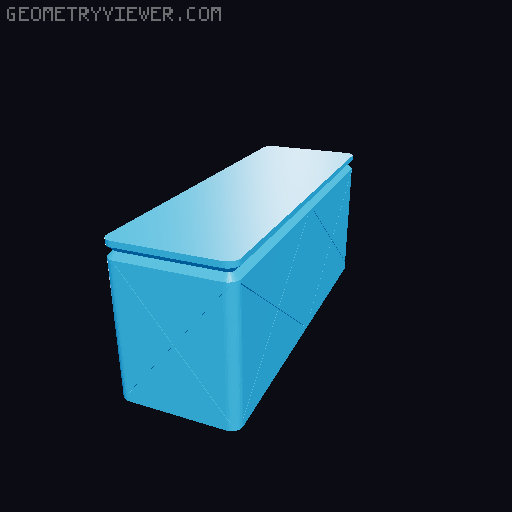
Gridfinity - Divided Vase Bins (no label flap) (120 models)
by cyron52 · via Printables
| Format | STL |
| Category | Organisation |
| License | CC BY |
| Triangles | 2.5k |
| Uploaded | Dec 1, 2023 |
⬇ 893 downloads
❤ 140 likes
👁 3.5k views
Description
Updates 2023-12-01 - Added single corner and half grid bases for even more minimal printing 2023-02-04 - Original post using the Gridfinity v5 spec Also see my other Gridfinity Bins: Vase Mode Bins (No Labels) Vase Mode Bins with Labels Divided Vase Mode Bins with Labels Description Vase mode bins made even better with built-in dividers. Now you can print bigger bins that are subdivided rather than multiple small bins. 120 vase mode bin models Sizes from 1x1 w 2 dividers up to 1x5 with 8 dividers Heights from 3u up to 8u (6u is standard) 5 matching bases A 1x5x6u x8 divider bin only takes 42g of filament These bins are based on vase mode bins with label flaps that I originally posted, initially based on the excellent design by Francesco Iannone . Basics Print the bins in 2 parts: base and the top (bin). Glue the pieces together for a very simple, bin. Recommended slicer settings Bins Vase mode Bottom layers: 4 .4mm nozzle Wall thickness: .8mm Layer height: .2mm below the upper lip .12mm for the upper lip .6mm nozzle Wall thickness: 1.2mm Layer height: .28mm below the upper lip .2mm for the upper lip Base Print in the top-down orientation found in the STL file. This will give you a very clean top and clean magnet holes. ≤15% infill TIPS Faster Bases: Adrian-CrimsonAzure pointed out that for larger bins, you can get away with printing 1x1 bases and then glue them to just the corners of your larger bins. For a 4x4 this means printing just 4 1x1 bases rather than 16 base grid. If you're short on filament or time, this is a great option. Top Stability: To make the bin lip more stable, try printing the top of the model (from where the lip starts to the top) at a shorter layer height than the rest of the model. I go from .2 mm to .12 mm with a .4 mm nozzle. Thanks to kevman for this suggestion. PrusaSlicer/SuperSlicer - Use the height range modifier to make this adjustment. Cura - Try enabling Adaptive Layer Height to high quality Files These files were done up with Tinkercad and can be found here: Bases - https://www.tinkercad.com/things/gkaMZJynDus 3u Bins - https://www.tinkercad.com/things/07yanlkmbgG 4u Bins - https://www.tinkercad.com/things/d1t3MdvvnqU 5u Bins - https://www.tinkercad.com/things/jF7FsESiWIw 6u Bins - https://www.tinkercad.com/things/jFWt5h8cXIi 7u Bins - https://www.tinkercad.com/things/79qUfNQcpIg 8u Bins - https://www.tinkercad.com/things/l8YR2hV1qXj Feel free to customize to your own needs.
Originally published on Printables





