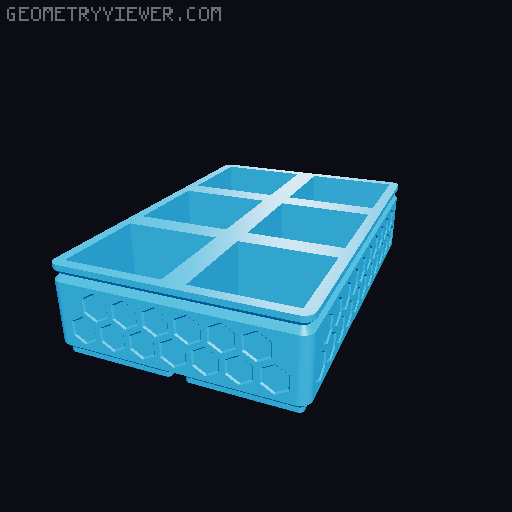
Gridfinity - Single print vase mode bins
by mebert · via Printables
| Format | STL |
| Category | Organisation |
| License | CC BY |
| Triangles | 10.5k |
| Uploaded | Dec 26, 2024 |
⬇ 154 downloads
❤ 37 likes
👁 847 views
Description
These bins are designed to be printed in a single go in vase mode, but you will need to fiddle with the slicer to get it to work properly, see the instructions. This is a workaround until something like this feature is implemented: https://github.com/SoftFever/OrcaSlicer/issues/4625 I am printing with a 0.8 mm nozzle with 0.4(0.3) mm thick first(other) layers and 1.05 mm layer width for strength and overlap on the angled surfaces. The STLs have a built in 0.4 mm bottom layer. You will need to generate a new STL if you want a different bottom thickness because of how the slicer workaround functions. I have a parametric onshape model for generating different designs. I will share it if you message me or if I figure out how to appropriately share onshape documents. I can also generate some more dimensions/configurations upon request. Example material usage for my 0.8 mm nozzle, 1.05 mm line width configuration: 1x1x4u7.72 g5m46s1x2x4u13.19 g10m0s2x2x4u21.45 g16m46s Printing instructions: slice the model like normal and enter the preview. Scroll up or down in the layers until you can determine which layer come after the base bridging step (or however much support you want). You will see unsupported overhangs, this is normal. (In the image bridging starts at layer 17 and you can see the unprintable overhang) 📷 Image redacted — claim this model to add your own media go to the strength section of the slicer and set the number of bottom layers to this layer number (18 in the example so its bridge + another layer) 📷 Image redacted — claim this model to add your own media re-slice the model and confirm that the base slices correctly and after the layer number you put in the slicer vase mode starts 📷 Image redacted — claim this model to add your own media Save these settings since they will work for any bin (since you start vase mode at the same height).
Originally published on Printables





