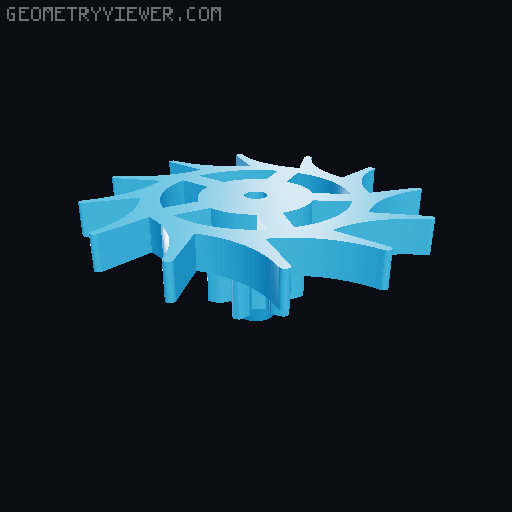
Handloaded Flying Tourbillon
by Matteo Bellin · via Printables
| Format | STL |
| Category | Other |
| License | CC BY-NC-SA |
| Uploaded | Feb 14, 2024 |
⬇ 254 downloads
❤ 50 likes
👁 3.0k views
Description
All the parts can be printed without supports, and can be printed in PLA. I suggest only the “latch” to be printed in PETG or ABS for increased strength, but it also works in PLA. This project requires some additional hardware: PINS n.3 ⌀ 2 x 19 mm (also ⌀1.5 mm is fine) n.1 ⌀ 2 x 14 mm (also ⌀ 1.5 mm is fine) n.1 ⌀ 4 x 12 mm BALL BEARINGS n.4 608 (8 x 22 x 7) n.1 684 (4 x 9 x 4) SCREWS n.3 M3 x 25 n.1 M3 x 16 n.3 M3 x 8 n.2 M2 x 8 THREADED INSERTS n.6 M3 insert n.2 M2 insert OTHER n.1 wide 3 mm washer ASSEMBLY In case of doubt there is the Fusion 360 file, where you can check the position of everything. Check also the pictures, those really help. Before starting the assembly, check that the tolerances are fine. In particular: Pins shoud allow parts to rotate freely, without too much wiggle. Ball bearings shoud fit quite tightly in their slots Parts that join together with hexagonal or squared slots should do it quite tightly, but you should still be able to remove the parts without breaking them. Now let's begin! Remove all the bridges that were places to allow support-less print (parts “Base” and “Middle_layer”. Add all threaded inserts (check pictures for reference). Insert all the ball bearing on their slots. Assemble the flying tourbillon mechanism: Insert n.3 pins 2 x 19 on “Frame_top” holes Insert “FW_spring”, “Flying wheel”, and “Roller” on the pin on the right (see picture) Insert “Anchor” on the middle pin. Insert “Escape wheel” on the remaining pin. Place “Frame bottom” on the top of the assembly, making sure that the three pins match the holes on the part. Use n.2 M3 x 8 screws to lock the parts together. Assemble “60Gear_ext” and “Latch” using n.2 M2 x 8 screws. Make sure that the latch is in the correct position. Place “60Gear_ext” on top of the flying tourbillon, allowing it to match with the gears on “Escape wheel”. Match the ball bearing on “Middle_layer” on the shaft coming out from “Frame_bottom”. Align the three arm with the holes on “60Gear_ext” and use one M3 x 25 on the arm with the wider foot, that needs to face away from the ball bearing and latch of “60Gear_ext” Snap “20Gear” on the hexagonal shaft. Join “Main_Spring” and “Shaft” together. Assemble “50Gear” in the shaft of step 9. Use the 4 x 12 pin to join the edge of the spring with the 684 bearing in the gear. Insert “LatchGear” on the hexagonal hole on top of the 50 teeth gear. Insert the 2 x 14 pin on the small hole on the shaft. Join the two assemblies (steps 1-8 and 9-12) by mean of the ball bearing on “60Gear_Ext”. The two gears (20 and 50 teeth) should engage. Close the assembly using “Base”, making sure that the pin sits correctly in its hole. Use the remaining M3 x 25 to lock everything in place. Turn the model upside down and place the key in the square hole. You are now ready to go! Spin the key counter-clockwise for max 1 complete turn and let the escapement mechanism work!
Originally published on Printables





