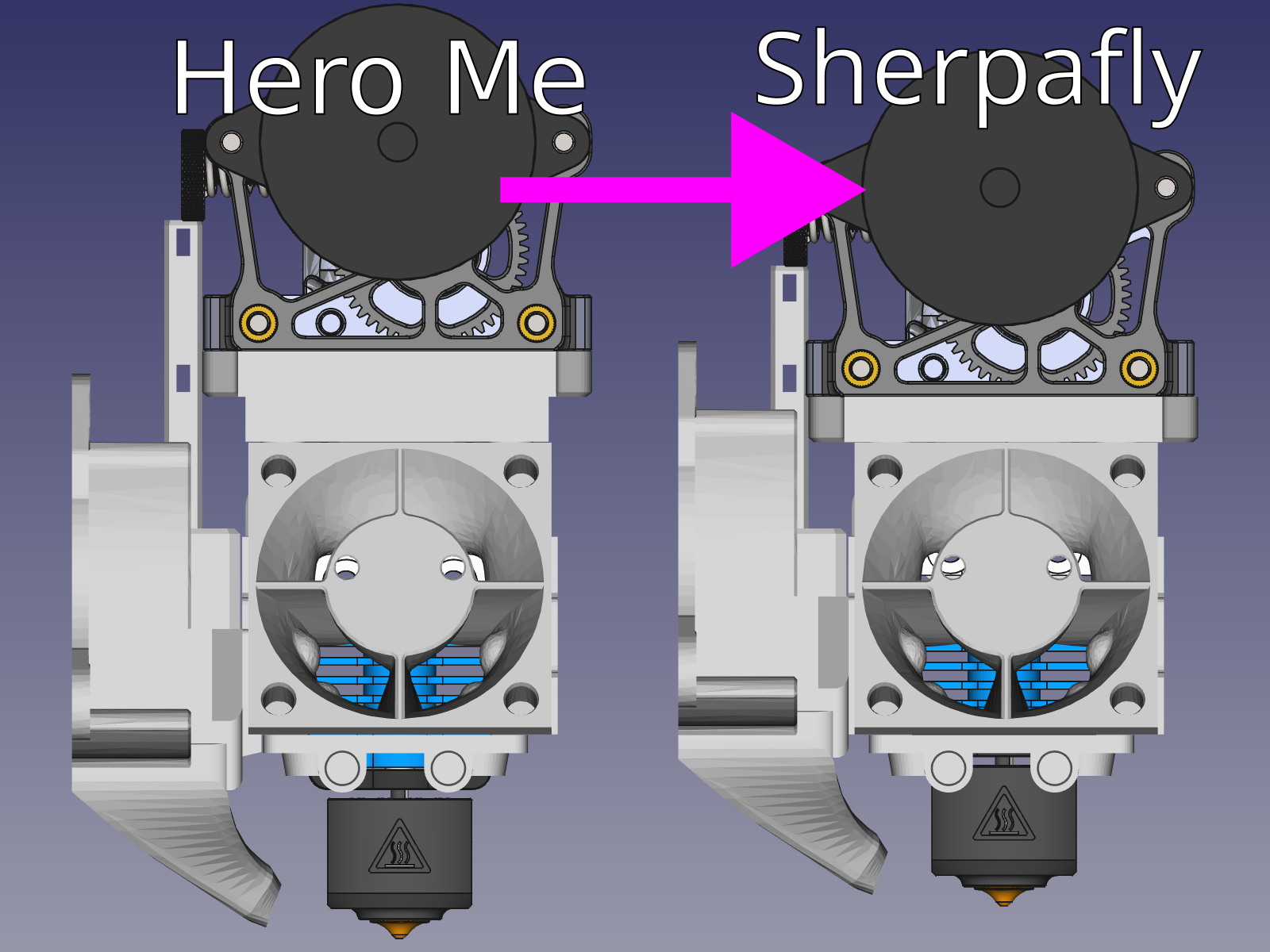
Hero Me "Sherpafly" Mod
by Jookia · via Printables
| Format | STL |
| Category | Art |
| License | CC BY-NC-SA |
| Triangles | 9.8k |
| Uploaded | Apr 4, 2023 |
⬇ 65 downloads
❤ 13 likes
👁 1.2k views
Description
What is this? The Hero Me Gen 7 is a modular project allowing you to mix and match various hotends and extruders. This is great for modularity but comes at the expense of performance: There is a larger distance for the filament to travel than there would be if parts were merged. This project merges Hero Me's Sherpa Mini and Dragonfly BMS mounts in to one, cutting down 6mm of length. It then provides multiple versions of this combination with shortened and lengthened hotend mounts. This can further cut down the filament length by another 4mm to a total 10mm reducation. With the Hero Me mount some printers such as the Neptune 3 Pro have the hot end a bit too high. This is what the lengthened versions are for: Adding 2mm to the hotend mount moves the nozzle 2mm closer to the printer bed. As we already cut off 6mm of length just by joining the two mounts we still have a 4mm net reduction. Two additional files are provided: A shorter cable mount so it doesn't bump in to the extruder, and a shorter hot end skirt so it doesn't bump in to the hot end. How do I print this? Drop the STL in to your slicer and print according to stock Hero Me instructions. How do I modify this? The steps are roughly these: 1. Download FreeCAD and open the CAD file provided 2. Find the ‘EDIT_ME’ spreadsheet in the object tree and open it 3. Change the 'Length' variable and hit enter 4. Ensure the 'Cut delta' is not below -4mm: This will bump the hotend against the slopes 5. Click the 'EXPORT_ME' object 6. In the 'File' menu click 'Export' 7. Save the new STL To change to the skirt or cable tower you will need to hide the Sherpafly part and show the new part. Do this by: 1. Clicking the 'Sherpafly' object 2. Hitting space to hide it 3. Clicking the 'MiniSkirt' or 'MiniTower' object 4. Hitting space to show it When exporting make sure to use the EXPORT_ME object within the part.
Originally published on Printables





