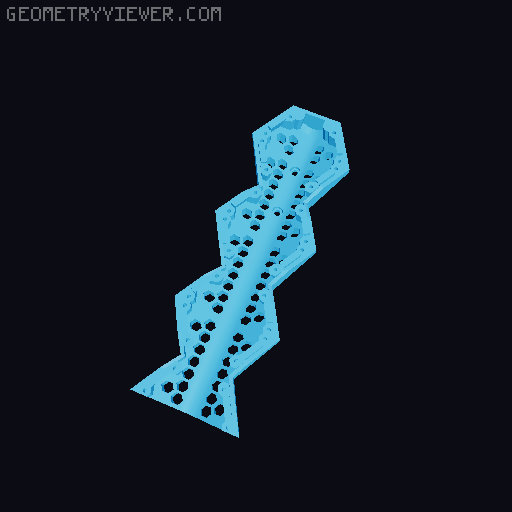
Hextraction Fancy Game Board Remix
by Hackjaz · via Printables
| Format | STL |
| Category | Other |
| License | CC BY |
| Triangles | 9.9k |
| Uploaded | Oct 13, 2023 |
⬇ 314 downloads
❤ 61 likes
👁 2.4k views
Description
This remix of Zack Freedman’s Fancy Hextraction Game Board was done primarily to eliminate the need for glue or supports. All parts are now held together by screws, heat-set inserts, & small bolts. Part design & orientation has been changed to eliminate the need for supports. Learn more about the free 3D-printed board game Hextraction here . NOTE — I recommend reading this document in its entirety before you begin printing. There are choices to be made about which parts to print & the contents of each folder will make more sense. Model Files Here’s a breakdown of each model files folder & some information about the files contained within. For printing, the number at the end of each file name denotes the quantity to be printed. For example, Gutter Segment x13.stl means that you will need to print 13 Gutter Segments . 01 Baseplates In addition to a one-piece baseplate print option ( Uno [A] ), I have split the game board baseplate into smaller segments that you can choose to print based on your print bed size or preference. After choosing which baseplate configuration you want to print, you will need to print all corresponding parts from the 01 Baseplates folder. Keep in mind, that the larger the baseplate segments & the more combined gutter segments that you choose to print, the more structurally solid your board build will be. Again, the number in each file name denotes the quantity to be printed & the letter at the end of each filename groups all prints for a particular configuration together. For example, Baseplate - Smol Top Right x2 [D].stl means that you will need to print 2 of the Smol Top Right baseplate segment as well as all other segments, in their indicated quantities, with the [D] designation at the end of the file name. All printed baseplate segments will be held together by the M2x6 screws used to attach the Gutter Segments . These are the splits I have made and the approximate size of the largest piece for each to determine the print bed size required: 📷 Image redacted — claim this model to add your own media Uno [A] — 240x255mm 📷 Image redacted — claim this model to add your own media OG [B] — 240x180mm 📷 Image redacted — claim this model to add your own media Quad [C] — 150x155mm 📷 Image redacted — claim this model to add your own media Smol [D] — 105x130mm 📷 Image redacted — claim this model to add your own media Ants [E] — 105x105mm NOTE — Colors have been used to visually distinguish between baseplate segments, but not necessarily .stl files. For example, the green & yellow segments in the lower left corner of the Smol [D] configuration are both Baseplate - Smol Bottom Left x2 [D].stl even though they are two different colors. 02 Standard Build Files Within the 02 Standard Build Files folder, you will find all of the parts needed to print & assemble a “standard-size“ fancy board (22 hexes). Again, the number at the end of each file name denotes the quantity to be printed. For example, Gutter Segment x13.stl means that you will need to print 13 Gutter Segments . 03 Alternate Combined Gutters By combining multiple gutter segments into a single printed part the structural rigidity of your game board will increase & the number of M2x6 screws needed for assembly will decrease. The 03 Alternate Combined Gutters folder contains combined gutter options. The combined gutters in this folder can be used in conjunction with the single gutters found in the 02 Standard Build Files folder to achieve your desired results. Because I don't know your particular use case or print bed size, I have not labeled file names with print quantities—you will need to determine this yourself. File names should be self-explanatory, but please ask if you have questions or if there is a gutter combination I have missed that you would like to have uploaded. Although untested, the most rigid baseplate/gutter combination should be: 1 Baseplate - Uno x1 [A] 2 CG - Endcap + Leg Mount + Gutter Segment x2 2 CG - Endcap Short + Gutter Segment x3 + Stubby 1 CG - Endcap + Gutter Segment x3 . This could conceivably be assembled with as few as 42 M2x6 socket head cap screws: 8 total for On-Ramp attachment 8 total for Finish Line attachment 26 for combined gutter attachment, using a pair of screws evenly placed at the top, middle, & bottom of each gutter column (except for the top of columns 2 & 4 where the combined gutter is held in place by the 4 screws used to attach the On-Ramps . 04 Alternate Modified Files Just as the name suggests, the 04 Alternate Modified Files folder contains parts that have been modified from the original design. These parts are not updates to the files contained in the 02 Standard Build Files folder but instead are alternate or modified parts that may be used in place of the original files. • Alt - Leg - M5xD7.1xL9.5 Insert x2 & Alt - Thumb Nut - M5xD7.1xL9.5 Insert x2 are used in place of the Leg x2 & Thumb Nut x2 parts. They have been modified to use M5xD7.1xL9.5 brass heat-set inserts that are more commonly available in the United States from Amazon & McMaster-Carr. • Alt - Leg - Captive Nut x2 & Alt - Thumb Nut - Captive Nut x2 are used in place of the Leg x2 & Thumb Nut x2 parts. They have been modified to utilize captive M5 hex nuts. To insert an M5 hex nut mid-print, using a 0.2mm layer height, you will need to pause both of these parts after layer 32, insert the hex nut into your printed part, & resume printing on layer 33. Print Settings All parts should be properly oriented & are designed to be printed without supports. For best results, print using a 0.2mm layer height. I used 40% infill, but you can experiment with other infill densities if you’d like. To print the Finish Line with 2 filament colors as I have, using a 0.2mm layer height, these are the filament swaps needed: Layer 1-7: black Layer 8-10: white Layer 11-163: black 📷 Image redacted — claim this model to add your own media Bill of Materials To assemble a “standard-size“ fancy board (22 hexes) you will need: 96 +/- M2x6 socket head cap screws — see note below 4 M3x6 button head hex screws 2 M3x12 or M3x14 button head hex screws 2 M5x20 hex tap bolts 2 M5x30 hex tap bolts 6 M3xD5xL4 brass heat-set inserts 4 M5xD8xL8 brass heat-set inserts NOTE — The number of M2x6 socket head cap screws required for assembly will vary from build to build based on the baseplate configuration you choose to print and if you choose to print individual gutters, combined gutters, or a combination of the two. For reference, 96 M2x6 screws were used to assemble prototype 1 (black/gray/navy) & 152 screws were used to assemble prototype 3 (red/white/blue). Prototype 1 was built using the Uno [A] baseplate & an early version of individual gutters. Prototype 3 was built using the Ants [E] baseplate configuration & the current version of individual gutters. If you don’t already have an assortment of fasteners, I recommend Bolt Depot . The brass heat-set inserts I used are from HotXYZ . Assembly Start by carefully melting brass heat-set inserts into the Leg Mount - Upper , Leg Mount - Lower , Leg , & Thumb Nut parts. 📷 Image redacted — claim this model to add your own media 📷 Image redacted — claim this model to add your own media Insert two M5x20 hex tap bolts into the two Adjustable Foot parts & two M5x30 hex tap bolts into the two Thumb Bolt parts. They should snap into place & be held in place once inserted. 📷 Image redacted — claim this model to add your own media Use M2x6 socket head cap screws to attach Gutter Segments to the backside of the baseplate configuration you have chosen to print. If you've printed a split baseplate, Gutter Segments will attach each baseplate segment to at least 2 other segments resulting in a structurally solid board. Regardless of the baseplate configuration you choose to print, the tile alignment notch on every game board hex will always be closest to the bottom of the board (see photo). This should help to orient baseplate segments during assembly. 📷 Image redacted — claim this model to add your own media 📷 Image redacted — claim this model to add your own media Attach Gutter Segment - Leg Mounts near the top of the board in the outer gutter columns with screw holes closest to the top of the board (see photo). 📷 Image redacted — claim this model to add your own media Attach Gutter Endcaps at the top of columns 1, 3, & 5. 📷 Image redacted — claim this model to add your own media Use Gutter Endcap - Short parts to attach the On-Ramps by screwing through the baseplate & On-Ramp & into the Gutter Endcap - Short . This sandwiches the On-Ramp's attachment points between the baseplate & the Gutter Endcap - Short . 📷 Image redacted — claim this model to add your own media 📷 Image redacted — claim this model to add your own media Attach Gutter Segment - Stubby parts at the bottom of columns 2 & 4, directly above where the Finish Lines will be attached. 📷 Image redacted — claim this model to add your own media Lastly, at the bottom of columns 2 & 4, attach the Finish Lines to the baseplate. 📷 Image redacted — claim this model to add your own media NOTE — When installing all M2x6 screws, be careful not to over-tighten them as they are threaded directly into plastic & you may strip out the plastic. To complete the leg assembly & attachment, using M3x6 button head hex screws, attach the Leg Mount - Upper parts to the backside of the Gutter Segment - Leg Mounts . 📷 Image redacted — claim this model to add your own media Using the prepared Thumb Bolt & Thumb Nut parts from above, attach the Leg Mount - Lowers to the Leg Mount - Uppers that you just installed. I oriented mine so that the Thumb Nuts were on the inside of the legs (on the underside of the board) & the Thumb Bolts were on the outside of the legs for easy access to adjust or fold the legs flat. 📷 Image redacted — claim this model to add your own media Insert the Legs into the Leg Mount - Lowers & pin them in place using M3x12 or M3x14 button head hex screws. Finally, screw the prepared Adjustable Foot parts into the heat-set inserts in the bottom of the Legs . 📷 Image redacted — claim this model to add your own media You are now ready for a game of Hextraction on your newly assembled Fancy Hextraction Game Board! If you haven't already started printing Hextraction tiles, check out my growing number of remixes here on Printables! 📷 Image redacted — claim this model to add your own media Value4Value This remix is being released under the Value4Value model. If you received any value from my work, please determine what it was worth to you & return that value to me in the form of a donation . Thank you for supporting my work! Print Info Printer: VORON 2.4 350 Rafts: No Supports: No Resolution: 0.2 mm Infill: 40% Prototype 1 Filament: Keene Village Plastics - Stellar Black & Dark Gray PLA MakeShaper - MakeShaper Navy & White PLA Prototype 3 Filament: MakeShaper - Red & White PLA Keene Village Plastics - Blue PLA Changelog October 10, 2023: • Created 04 Alternate Modified Files folder • Uploaded alternate Leg & Thumb Nut parts for use with M5xD7.1xL9.5 brass heat-set inserts October 13, 2023: • Uploaded alternate Leg & Thumb Nut parts for utilizing captive M5 hex nuts “If I have seen further, it is by standing on the shoulders of Giants.” — Isaac Newton This game board was remixed from the original Hextraction Game Boards by Zack Freedman using Fusion 360. Parts of the articulating leg mounts were remixed from the Articulating Raspberry Pi Camera Mount for Prusa MK3 and MK2 by Sneaks. Special thanks to Caroline for printing & assembling Prototype 2, providing iterative feedback, & helping to proof & shape this document.
Originally published on Printables





