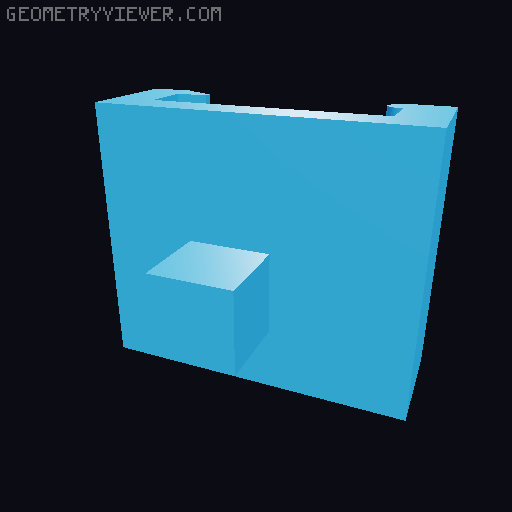
K1 Max Upgrade/Repair Kit
by rat_salat · via Thingiverse
| Format | STL |
| Category | Other |
| License | Public Domain (CC0) |
| Triangles | 194 |
| Uploaded | Apr 14, 2026 |
⬇ 56 downloads
👁 45 views
Description
K1 Max Upgrade/Repair Kit Lid raiser was not modeled by me and here is the original modeler post: https://www.crealitycloud.com/model-detail/simple-k1-max-top-extender?source=5&profileId=6896d8217c14b9d0ba570731 Includes: Lid Raiser (If you want to print this kit it is essencial that you print this lid raiser or don't use the lid anymore) Cable Chain Cable Chain Fix Cable Chain Tip Tube/Cable Chain Clip Cable Lid Intructions: Lid raiser : It was originally made for the 4 parts to be fixed with screws but i rather fix it with super glue since its very easy to align the four parts. (If you want to print filaments like ABS which needs full enclosure the holes where the screws should go won't be enough for the heat to escape the enclosure and neither the cold air enter in significantly amounts). Cable Chain: In case you've broken or lost the original ones. They should fit nicely both on the original and the printed ones. I modeled it to print on a well-calibrated K1 Max, so i used basically zero tolerance on the model scale, so you will have to print and try. If the model doesn't fit i recommend using your slicer "X/Y Compensation" option. In Bambu Studio and other Orca-like slicer it should be named "X-Y Contour Compensation", in Cura it is named "Horizontal Expansion" and i don't know about the other slicers because those are the only ones i use. Use negative values to make the model thinner and positive to make it fatter (-0.05 or 0.05 for example). PS: This is not as good as the original one i must say, so you will only want to print when you've broken or lost the originals chain links. Cable Chain Fix: This is a raiser for the cable chain with the intension to make it less likely to touch the X linear rod. Easy to print but when installing, tilt it like this : " \ " (Left side go up and right side go down). By doing this you can lift the cable chain a little bit more. Cable Chain Tip: This is also a raiser for the cable chain, but a more simple and straight forward piece. It goes really well combined with the "Cable Chain Fix". The only thing that you should have is the lock washer, which is already on the original Chain Tip screw, so don't lose it. PS: Also don't lose the screw :p Tube/Cable Chain Clip: This is the cherry of the cake and also the hardest to get good fitting from all the parts. It is a Tube/Chain Clip but with printed bearings, which should help the tube to move around more freely. So since the bearings are literally spheres, they may don't have the necessary contact with the printer bed to glue to it properly. Instead of using supports or rafts i simply "sunk" it a little bit on the bed (in the slicer) and expanded the first layer contact area a little bit, the amount you will have to "sunk" it will depend of your printer and bed level having a good calibration and also the necessary stickness to the bed. Also, after you assembly the whole Cable Chain Clip, you must put one or two drops of machine oil on the bearing balls to make it more easily movable. Cable Lid : In case you've broken or lost any of the cable lids you can print this one. The only thing you must do is to measure the length you need and scale it on your slicer. If you have any trouble on the installation try seeing the photo or post a comment with your doubt or dm me. I might take some time to answer since i don't log in as often here. This kit was made to repair an broken K1 Max and i thought i should share in case anyone else needs it. I really would like to "refine" the models and make them more easy to print on any printer, but that would take time and i rather enjoy that time smoking some weed and watching cartoons, so if you by any chance you improved the files and wanna post it you don't even need to credit me nor nothing, all the files are public domain and you can do whatever you want with them
Originally published on Thingiverse





