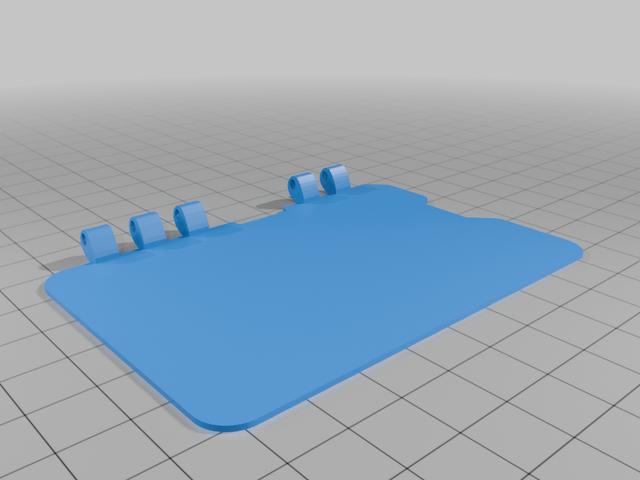
Kiisu v4b Flip Case
by kyrafox · via Thingiverse
| Format | STL |
| Category | Electronics |
| License | CC BY-SA |
| Triangles | 5.0k |
| Uploaded | Apr 1, 2026 |
⬇ 1 downloads
👁 9 views
Description
It's a flip case for the Kiisu v4b! All the cases I found were covering most of the electronics in some way or another. None of them really covered the screen. To give it more protection, and also keep all the sensors and buttons open (as I kinda prefer the unobstructed buttons), I made this here flip case! It's based on the slim case by ubermood, which you can find in the remix section. The battery and sd card are closed off, as I don't remove them often enough. I can upload a version with those exposed too, should anyone want that. When printing: I had no success printing both halves at the same time, as that would lead to bad warping on my Anycubic Kobra 2 Pro. I had no issue printing them separately,. Assembly: Depending on how good your printer is, it might be worth sanding the hinge part a little. The hinge is held together with normal 1.75mm filament. BE CAREFUL when you place the Kiisu inside the case! It is a tight fit to prevent it from falling out. The best way to go about putting the Kiisu into the case is by placing the right edge of the Kiisu into the case, but not all the way to the right of the cas. Then, lower it down and slide it all the way to the right, while keeping some gentle pressure on the right side of the Kiisu. After that, press the bottom edge into the case, then the top edge. The clips on the top edge are located above the left arrow button and to the left of the screen. If the Kiisu doesn't slide in, don't force it, take it out and rework the overhangs on the case with a razor blade. Don't be intimidated if this sounds complicated, it's very easy after you've done it a few times. If the case doesn't close all the way at first, don't worry! It will do that after the hinges have worn in after a day or two. PLANS FOR THE FUTURE adding photos reinforcing the hinge; as there is still space for a hinge part above the sd card version with battery slot possibly "upside down" version that will hinge on the bottom edge instead of the top considering adding a version with logo of some sorts to make it look less boring
Originally published on Thingiverse





