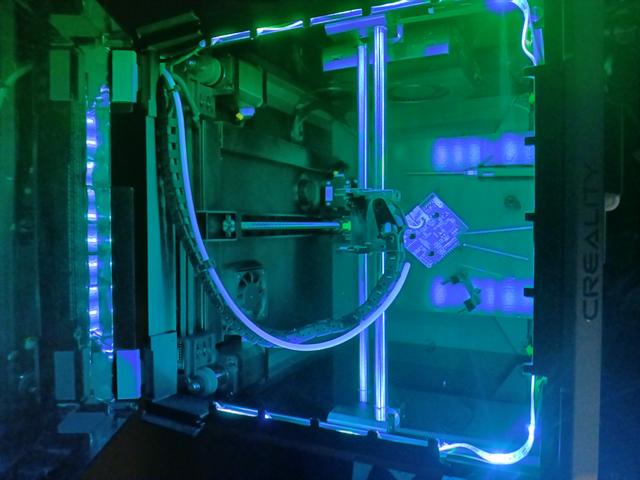
LED Betweener
by FrankenPrint · via Printables
| Format | STL |
| Category | Electronics |
| License | CC BY |
| Triangles | 1.7k |
| Uploaded | Oct 25, 2024 |
⬇ 10 downloads
👁 120 views
Description
I had an old roll of $5 bin led strip laying around and wanted to have a dimmable light with a red option so I could monitor prints at night without a glowing box in the corner. --Installation--(Described looking at front of machine with lid up.) Install corners and rear betweener. Feed led strip through all 3 betweeners before installing. Start from the right rear so the power connector can feed out the existing rear through hole. Feed the light in all the way to the power connector and leave a few inches in between each betweener. Install betweeners on machine and adjust led strip so that the corners are tucked as close to the edge as possible. Cut LED strip at its nearest cut mark to the back left corner (Mine fit almost perfect to the edge.) Connect to power. I used the clips that stick in the hexagons on the back of the K1 to run the wire down the back and under the printer to a powered usb hub I keep on my print bench for lights and usb connections. For those that don't know…IF YOUR LED STRIPS HAVE USB POWER * DO NOT * PLUG THEM INTO THE PRINTERS USB PORT. It could cause permanent damage.
Originally published on Printables





