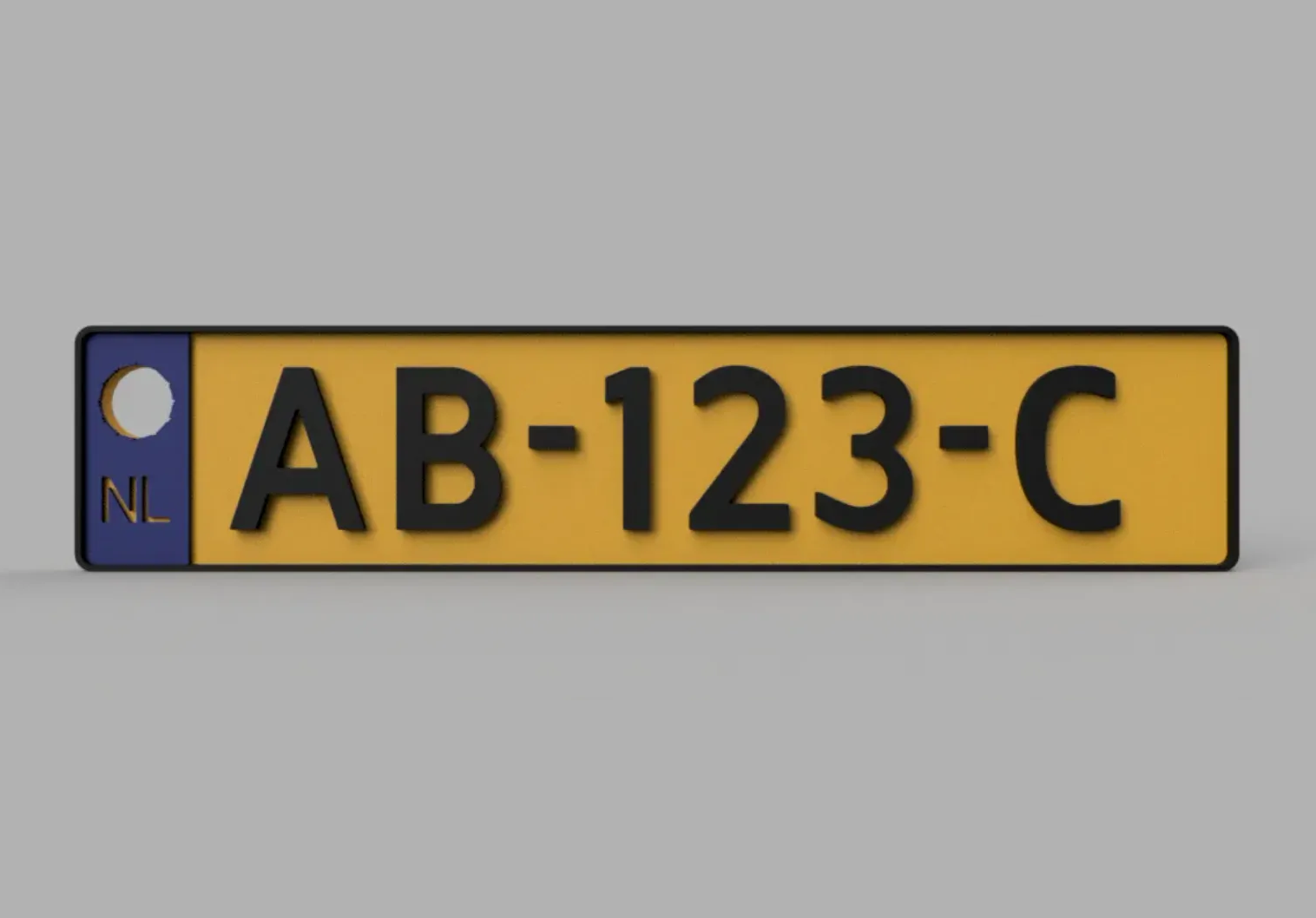
License plate dutch / kenteken plaat key chain / sleutelhanger
by Dynamite · via Printables
| Format | STL |
| Category | Other |
| License | CC BY-SA |
| Triangles | 7.8k |
| Uploaded | Jul 21, 2022 |
⬇ 544 downloads
❤ 44 likes
👁 2.2k views
Description
I have printed some nice keychain licence plate based on the dutch plates. As each number is unique I have added the fusion360 files and the instructions on how to create the plate in a few simple clicks. First download the (Kenteken rename txt to ttf) file and rename the .txt to .ttf. Now you can right click on the file and install the ducht licence plate font. In the related PDF file more info can be found how to use the font. Some nice effects can be created out of the box. The source for the font is: Kenteken Font After installing the font, fusion can be started. The font should now be automatically added to fusion. Open the (kenteken AB123C basis) in fusion. The extrusion in fusion with this font is not working 100%. Therefore first edit the text into the text you would like. Secondly right click on the text and explode the text into lines. For Autodesk inventor this is not required. 📷 Image redacted — claim this model to add your own media After this the letters and border can be extruded one by one. If you extend the left part with NL up 0,4 mm and the letters and border with 0,8 mm you can print both in a different colour with two filaments changes. A standard licence plate should fit on the base plate. For names etc. the base plate needs to be further edited. Have fun and share me your results! Ik heb een aantal mooie sleutelhanger nummerplaten geprint gebaseerd op de Nederlandse nummerplaten. Omdat elk nummer uniek is heb ik de fusion360 bestanden en de instructies om de plaat te maken in een paar simpele klikken toegevoegd. Download eerst het (Kenteken rename txt to ttf) bestand en hernoem de .txt naar .ttf. Nu kunt u met de rechtermuisknop op het bestand klikken en het lettertype kenteken installeren. In het bijbehorende PDF bestand is meer info te vinden over het gebruik van het font. Er kunnen een aantal leuke effecten mee gemaakt worden. Na het installeren van het font, kan fusion worden gestart. Het font zou nu automatisch aan fusion moeten worden toegevoegd. Open de (kenteken AB123C basis) in fusion. De extrusie in fusion met dit font werkt niet 100%. Bewerk daarom eerst de tekst tot de tekst die je wilt. Klik vervolgens met de rechtermuisknop op de tekst en explodeer de tekst in lijnen. Voor autodesk inventor is deze handeling niet noodzakelijk. Hierna kunnen de letters en de rand één voor één geëxtrudeerd worden. Als je het linker deel met NL tot 0,4 mm extrudeert en de letters en rand met 0,8 mm extrudeert kun je beide in een andere kleur printen met twee filamenten wisselingen. Een standaard nummerplaat moet op de grondplaat passen. Voor namen etc. moet de grondplaat nog verder bewerkt worden. Veel plezier en deel me je resultaten!
AI Analysis: This is a model of a Dutch license plate, designed as a keychain. It features a yellow background with black text and the 'NL' abbreviation, along with the alphanumeric code 'AB-123-C'. The design is intended for use as a decorative item to attach keys to a keyring. Notable features include the clear depiction of the license plate's standard format and the 'NL' marking, which is specific to Dutch license plates.
Originally published on Printables





