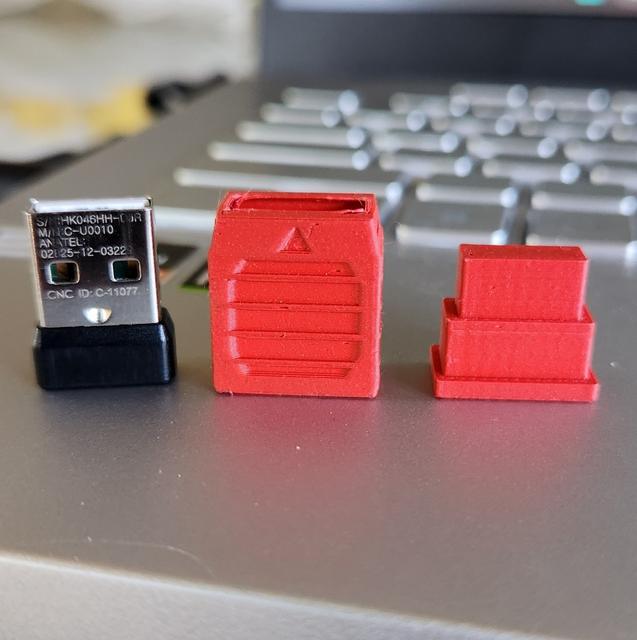
Logitech 6mm Nano Receiver Grip
by 3Dtortilla · via Printables
| Format | STL |
| Category | Other |
| License | CC BY-NC |
| Triangles | 1.4k |
| Uploaded | May 15, 2023 |
⬇ 43 downloads
❤ 4 likes
👁 251 views
Description
The Logitech Bluetooth receivers are too tiny for their own good. This housing grip is only for the 6mm receivers. This grip makes it easier to remove and insert. It has grip on all sides. Easy to remove for both laptops and desktops. NO GLUE REQUIRED How to install: Insert the USB receiver into the open housing. (NOTE: Triangle on the housing is an easy indicator to know how to orient the top of the USB. Push the insert all the way through. It should push the USB through the other side and sit snug into the housing keeping the USB in place. To Remove: In case you want to remove the USB for any reason or change to different colors. 1) Firmly push on the USB portion on a smooth flat surface to pull out the insert. 2) Once out flip the insert over and the smaller portion can be used as a secondary tool to fully remove the USB out of the housing. I have also included a housing with the top open so you can slide the USB inside easier. Not as snug. It tends to slip out when pulling it out of your computer, but in case you wish to glue it together. This is a good solution.
Originally published on Printables





