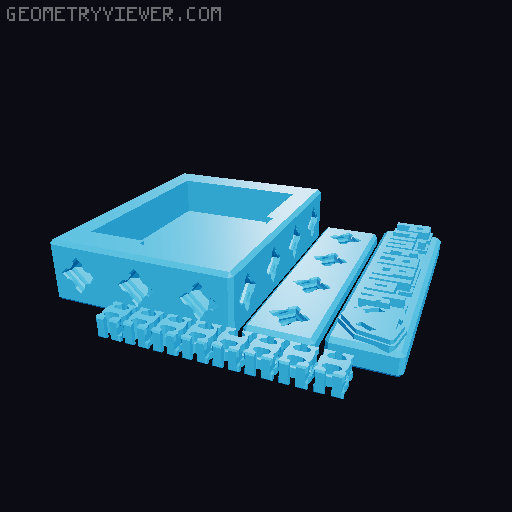
Macro Keyboard - Electroblok Project - PrintABlok
by 3D Printing Professor · via Printables
| Format | STL |
| Category | Electronics |
| License | CC BY-NC |
| Triangles | 15.6k |
| Uploaded | Oct 18, 2021 |
⬇ 69 downloads
❤ 22 likes
👁 544 views
Description
Can’t afford a fancy stream deck? What if you could build your own for a fraction of the price, and better yet, make it modular so you can add your own functionality? Electroblocks give you the power! You Will Need (Affiliate Links Included): 5V Arduino Pro Micro - http://amzn.to/2tqNsJU Cherry MX Black switches (8x) - https://amzn.to/3p5QX3E https://s.click.aliexpress.com/e/_9i602b Keycaps (8x) - https://amzn.to/36Gy8ck Mini Proto Board - https://amzn.to/2UNXtQ8 https://s.click.aliexpress.com/e/_AfPWeu Male Jumper Leads - https://amzn.to/3f5GYpr Soldering equipment - https://amzn.to/3aOGvp1 Solder - https://amzn.to/3BSmb20 Build Steps 3D Print one each of the 8101_Macro_Keyboard_X.stl plates. (Individual parts are available for reprints if necessary) Snap 4 key switches into each of the keypad panels Solder one lead from each of the switches together, with the last being soldered to a male jumper (preferably black). This will be the ground. Solder a male jumper to each of the remaining leads for the keys. This will be the signal for each key. Snap the keypad panels into the keypad. If it’s too loose, use a little hot glue to hold it in place. Put the mini prototype board into the proto board holder. Put the Arduino Pro Micro into the mini prototype board with the USB connector off towards one side. Connect both ground connectors to the Arduino’s ground pin. Connect the signal jumpers to the Arduinos 2-9 pins. (To make things make the most sense, try to connect them across the top keys first, and then the bottom in order.) Use PrintABlok connectors to assemble the deck according to the build illustrations. Use cable management blocks to keep the cable in check. Make sure the USB port is out one side and not covered up by the panels. Plug in the USB and upload the code. It should now function like a mini keyboard, sending the F13-F20 keys (not normally found on most keyboards) when you press the buttons. You can map these to whatever functions you want in your software of choice or have AutoHotkey catch those keypresses to run scripts. But this is extensible. You can use other Electroblock components to add joysticks or screens and make a mini keyboard that is potentially much more functional and complex. You simply need to find a place for the component, find pins on the Arduino to plug it in, and add edit the code. You can make a macro keyboard customized to your needs! Notes: This project was based on Parts Not Included Cheap Streamdeck . The code was lifted directly from there. Honestly, all I did was give it a pretty cover that you can extend in the future. For the parts from that project, Parts Not Included affiliate links are used, so purchasing through those links will benefit the original project creator.
Originally published on Printables





