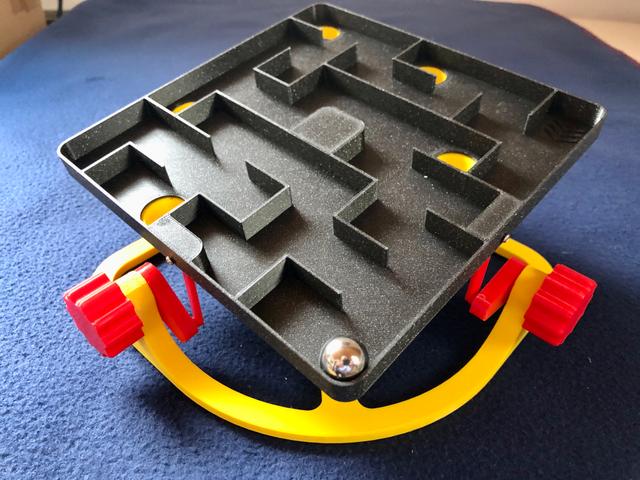
Marble Maze - Some Changes and Add-ons
by Seabird HH · via Printables
| Format | STL |
| Category | Other |
| License | CC BY-NC-SA |
| Triangles | 10.0k |
| Uploaded | Apr 15, 2023 |
⬇ 190 downloads
❤ 48 likes
👁 1.1k views
Description
A nice marble maze. Problem-free printing of all parts! Thank you ericman314 for publishing! … not to forget HeiLaut for the variant with holes! However, the disappointment came quite quickly, during the first attempts to play. I chose the remix variant with the holes. Quite apart from the fact that this is quite difficult, another problem quickly arose. One of the parts “linkage.stl” fell out of the board after a few movements. Unfortunately there was nothing with "100% snap-together using ball and socket joints". At least not in all areas. I was a bit annoyed at first ... after the long printing time. All for nothing, I thought! Then I thought about how I could save the game. What good is "snap together" if it doesn't work or only works for a short time. I am a bit surprised that nobody has mentioned this problem yet. I do realize that it can work for a while. But short over long it is a weak point! 1.) I minimally enlarged the width and depth of the recesses where the two "linkage.stl" are pressed into the game bottom with a milling drill and drilled a Ø 1.5 mm hole in the side (for attaching a Ø 2 x 8 mm self-tapping screw). I also drilled a Ø 2.5 mm hole in the flat side of "linkage.stl". If you now insert "linkage.stl" and screw in the screw from the side, it makes a more solid impression. You don't have to be afraid that something will fall out. The movement is not restricted. The side with the ball head sits well by default! Important: the diameter of the screw must not be larger than Ø 2 mm. otherwise no freedom of movement of "linkage_new.stl" is guaranteed! 📷 Image redacted — claim this model to add your own media 📷 Image redacted — claim this model to add your own media 2.) The labyrinth plate with the holes is hardly to master and requires infinitely many attempts. That means the ball falls through the holes all the time and has to be collected again. Here I designed a kind of ball catcher, which is glued to the board from the bottom side with superglue. These ball catchers are open at the bottom to push the ball or marble out from below. However, the ball diameter must be >12 mm. Anything smaller will still fall through! 📷 Image redacted — claim this model to add your own media 📷 Image redacted — claim this model to add your own media 📷 Image redacted — claim this model to add your own media 📷 Image redacted — claim this model to add your own media 3.) To make it intergenerational playable I designed a kind of plug ("plug.stl" suitable for “ball catcher.stl”), with which the holes can be closed if necessary and thus the degree of difficulty is variable and also for children the play joy remains. 📷 Image redacted — claim this model to add your own media 📷 Image redacted — claim this model to add your own media 📷 Image redacted — claim this model to add your own media Finally: If you have the same problem with "linkage.stl" but don't want to reprint the labyrinth plate, you can proceed as I described above. If you print it for the first time, you can print the files "maze_withholes_new.stl" and "linkage_new.stl". Here the cutouts and holes are prepared accordingly. Then there are the brand new files “ball catcher.stl” and “plug.stl”. For ease of use I have included the rest of the files from ericman314's project here. Supplies: 2x sheet metal screws, Ø 2 x 8 mm superglue Files to print: maze_withholes_new.stl ball catcher.stl (5x) plug.stl (5x) linkage_new.stl axle-cam.stl base.stl knob.stl Print Settings: Printer brand: Prusa Printer: i3 MK3S, Mini Supports: No Resolution: 0,2 Infill: 10%, small parts 40% Filament brand: Prusa; ICE Filament color: Galaxy Black; Young Yellow, Romantic Red Filament material: PLA
Originally published on Printables





