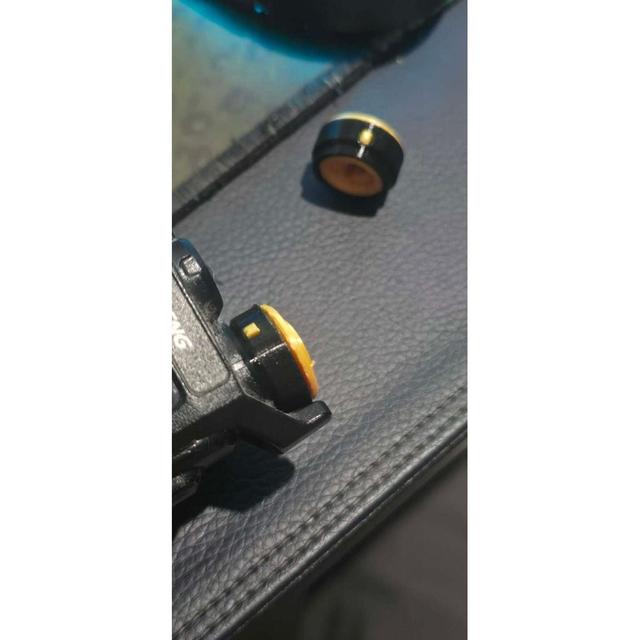
Modular UV-K5 Volume knob
by blkph0x · via Thingiverse
| Format | STL |
| Category | Other |
| License | CC BY-SA |
| Uploaded | Apr 25, 2026 |
⬇ 4 downloads
👁 45 views
Description
This is a custom 3-piece volume knob designed specifically for the Quansheng UV-K5 radio. Each part can be printed separately, allowing for easy multi-color and multi-material customization. The knob is made up of: Main body (PLA) – structural core with precise fit Outer ring (TPU) – adds grip and a soft-touch feel Top cap (PLA or TPU) – cosmetic finish This modular design makes it easy to personalize your radio while improving usability. 🎯 Features Multi-material design (PLA + TPU) Easy multi-color printing Improved grip with flexible outer ring Press-fit assembly (no glue required, optional) Designed for Quansheng UV-K5 🧩 Parts Included Main Body Outer Ring Top Cap 🖨️ Print Settings (Recommended) All Parts Nozzle: 0.4 mm Walls/Perimeters: 10 Infill: Doesn’t matter (walls provide strength) Supports Required for main body and outer ring Top cap: no supports needed Recommended: Tree supports Material Suggestions Main Body: PLA Outer Ring: TPU Top Cap: PLA or TPU 🔩 Assembly (Off the Radio) Take the main body (off the radio) Fit the TPU outer ring: If tight, place it in hot water for 10–20 seconds to soften it Stretch and seat it onto the main body Press-fit the top cap into place Add a small drop of glue if required Once assembled, install the full knob onto the radio 🎨 Customization Ideas Print each part in different colors Use glow-in-the-dark filament for the cap Match your radio color scheme Try a TPU top cap for extra grip ⚠️ Notes TPU flexibility varies by brand (Shore 95A recommended) Do not overheat TPU—warm water is enough Fit may vary depending on printer tolerances (±1–2% scaling may help) Designed and tested on multiple printers: Tuned printer (~±0.02 mm tolerance): perfect fit Less calibrated printer: also fits well ❤️ If You Like This Please like, share, and post your makes! Feedback is always welcome.
Originally published on Thingiverse





