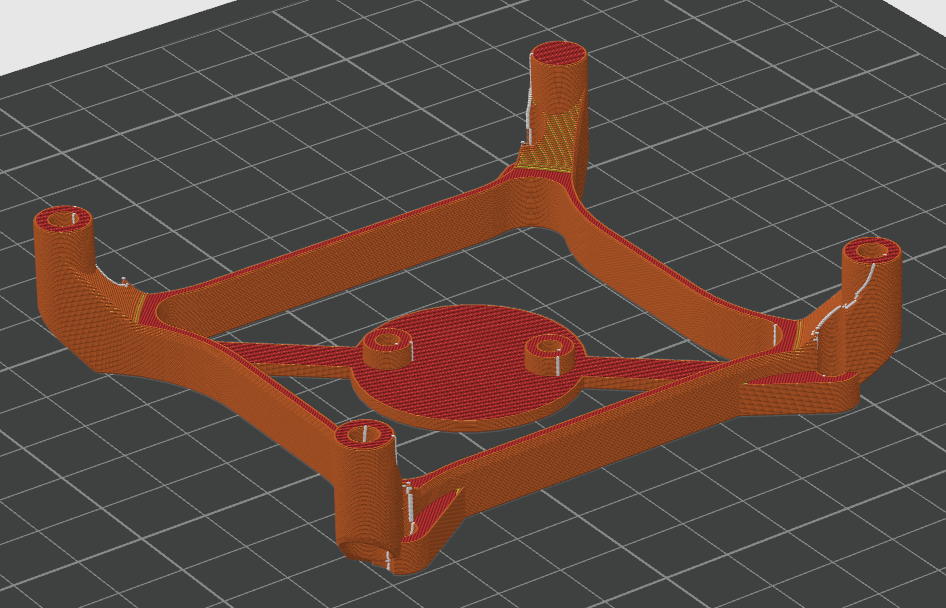
Motherboard Fan Mount for Creality K1C
by Cretzu' Andrei · via Printables
| Format | STL |
| Category | Art |
| License | CC BY-NC-SA |
| Triangles | 17.5k |
| Uploaded | Mar 12, 2025 |
⬇ 81 downloads
❤ 26 likes
👁 742 views
Description
Please read the cautions. This model was tested and printed on a K1C (without support). I used an Arctic P8 Silent fan (80 mm x 25 mm) + LX8015 DC-DC Adjustable Step-down Converter because the fan is 12v. The fan is way more quieter then the standard one and offers more airflow for cooling. The safest way is to use a 24v 3-pin fan because you don't have to use the step-down converter!!! You will need: 4 x M3 Heat Set Inserts (max 5 mm length), I used M3*4*4.2 for the fan; 2 x M2 Heat Set Inserts (max 3 mm length), I used M2*3*3.2 for the step-down converter. The fan was connected to -out and +out of the converter and the sensor wire directly to the motherboard. CAUTION!!! IF YOU WIRE THE FAN THE WRONG WAY YOU CAN DAMAGE THE MOTHERBOARD AND/OR THE FAN!!! USE A 12V FAN ONLY IF YOU KNOW WHAT YOU'RE DOING!!! USING THIS MODEL RESULTS IN THE INABILITY TO USE THE METAL BOTTOM LID!!!
Originally published on Printables





