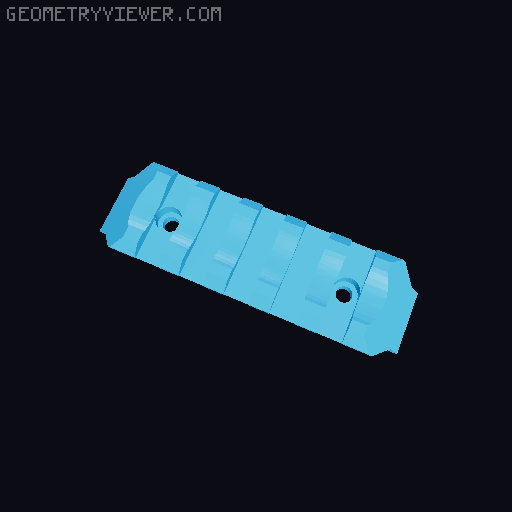
Ontos Carry Handle Thumbhole Stock Overhaul
by WuvvyGruvvy · via Printables
| Format | STL |
| Category | Other |
| License | CC BY-NC |
| Triangles | 1.8k |
| Uploaded | Mar 17, 2026 |
⬇ 35 downloads
❤ 17 likes
👁 381 views
Description
Hi this is my first real project and it was created in Tinkercad so please give feedback and suggestions! I love long pic rails, and carry handles, and I love the Ontos, and that's all there is to it. UPDATE: Added circuitry deco files (no AMS needed), front pic rails with plain or deco versions, thumbhole stock files courtesy of u/Defyantm0ds on reddit, and an experimental M-LOK front end which I have not tested. ADDITIONAL HARDWARE Panels- 1 M3x12 bolt, 1 M3x6 button head bolt, 1 M3x12 button head bolt, 3 M3 nuts Picatinny- 6 M3 brass inserts Flat- 6 M3x8 bolts Angled- 2 M3x8 bolts, 1 M3x10 bolt, 1 M3x12 bolt, 2 M3x16 bolts Front Picatinny- 4 M3x6 bolts, 4 M3 nuts Thumbhole Stock- 2 M3 brass inserts, 2 M3x8 bolts PRINT INSTRUCTIONS If you are printing the deco side panels, print a couple tests to find the appropriate level for a filament swap. I printed mine at 0.16mm layer height, and the optimal pause for that is layer 5. BUILD INSTRUCTIONS Follow the Ontos build guide, additionally... Before assembly- Install the 6 M3 brass inserts in the 6 holes on the tops of the panel pieces. For thumbhole stock assembly install one M3 brass insert in the bottom of the stock and one in the bottom of the grip. For side picatinny assembly push two M3 nuts into the two holes in each front panel. they should friction fit with a little force. Final assembly step 4.8- Install the M3x12 button head bolt and an M3 nut in the hole between the top of the right front panel, and the right center panel. For thumbhole stock assembly attach the thumbhole bar to the grip and stock with two M3x8 bolts. Final assembly step 4.10- Install the M3x6 button head bolt and an M3 nut in the hole between the top of the left front panel, and the left center panel. Install the M3x12 bolt and an M3 nut in the hole between the two front panels, at the front of the carry handle. Final assembly step 4.13- If you are using the flat picatinny rail, align the holes with the M3 inserts, and install the 6 M3x8 bolts. If using the angled picatinny rail, use the 2 M3x8 bolts, 1 M3x10 bolt, 1 M3x12 bolt, 2 M3x16 bolts in that order from front to back. For side picatinny assembly install both side pic rails with two M3x6 bolts each.
Originally published on Printables





