OpenSCAD Honeycomb Storage Wall w/ Extensive Modifiers
by GizmoGoody · via Printables
| Format | STL |
| Category | Organisation |
| License | CC BY-NC-SA |
| Triangles | 10.3k |
| Uploaded | Aug 26, 2024 |
⬇ 496 downloads
❤ 40 likes
👁 1.5k views
Description
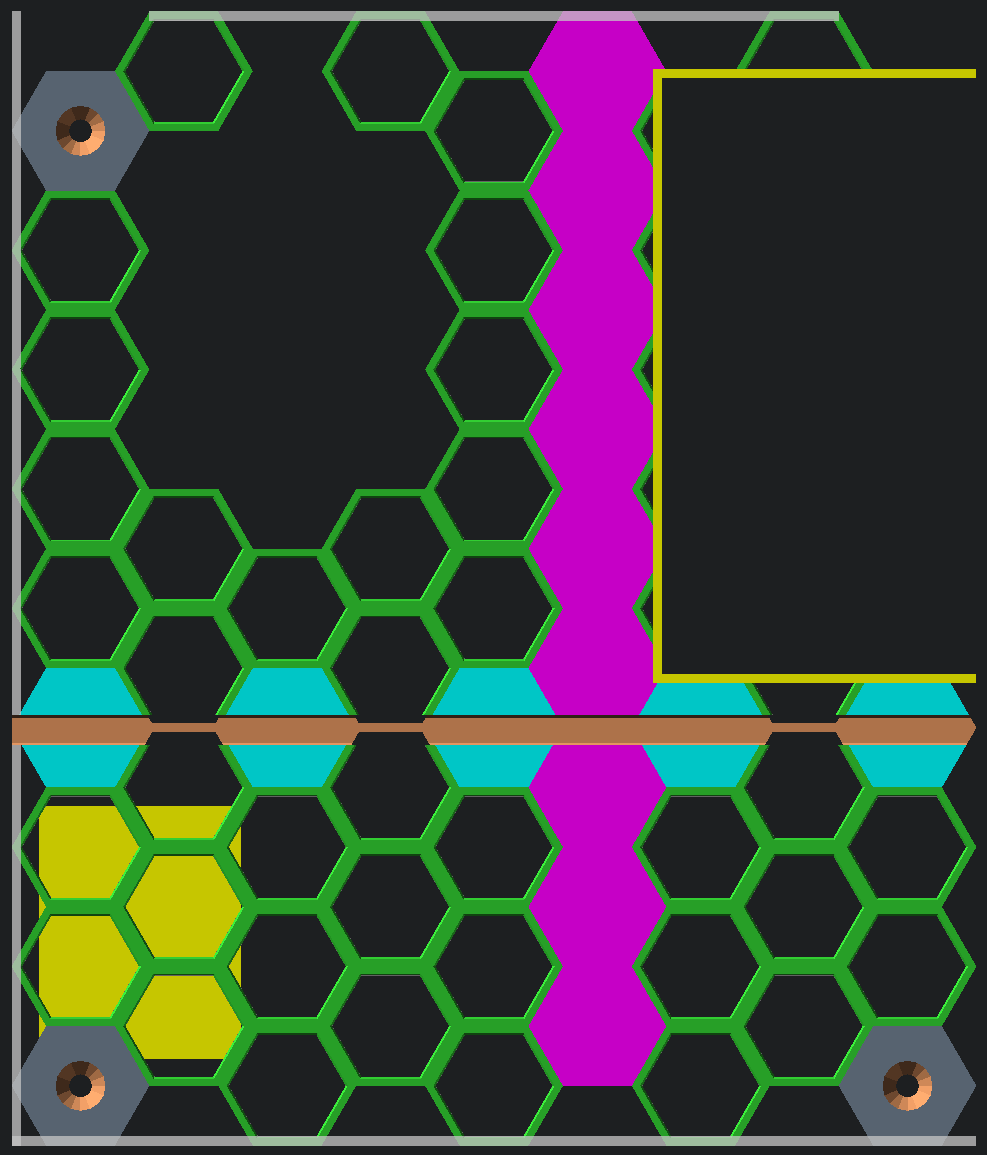
Motivation I finally got around to designing and installing my Honeycomb Storage Wall. Unfortunately, the first wall part I needed was on the bottom (border required) and I had a power outlet that started in this wall part and extended into a neighboring one. I needed features from each of the attributed models and some original functionality. Features This model combines the most useful modifiers (in my opinion) available in each model while improving their usability and functionality. It also adds additional features to further assist the layout of a Honeycomb Storage Wall project. These include the following: Borders can extend to the model's edge or constrain to the respective side's geometry and the border's wall thickness can be specified. Wall plate dimensions can be specified separate from the lateral and vertical offsets of a cutout and a cutout that extends past the extent of the wall part can be trimmed. Solid row(s) and column(s). V slot is constrained (by default) to the width of the wall part or can be reduced in width with lateral placement adjustments. Mounting Screw Hole(s) Overall Matches the original HSW specification and dimensions. Oriented properly (x is lateral, y is vertical, and z is depth). Customizer is fully descriptive and properly formatted. Colors assist with modifier parameter input and indicate proper orientation during design and layout (i.e. which side is front and up when installed). Custom views to assist with proper orientation during design and layout. Console output parameters and dimensions assist in feature placement (e.g. outlet cutout). (most) Hexagon Cell parameters are available in the Customizer for confirmation/small adjustments from the HSW specification dimensions. USE WITH CAUTION! New Features in v1.1 Rectangular Cover - Adds a rectangular solid to the back side (by default) to cover something on the wall (e.g. low voltage box, blemish, etc.). Solid Hexagon Cell(s) - Individual hexagon cells can be solid. Empty Hexagon Cell(s) - Individual hexagon cells can be empty. Wall Part Restriction - Restrict the model to fit specific dimensions (e.g. the last wall part in a column or row of wall parts) with extensive options for which edge or offset to preserve. Hexagon Cell Centered Screw Hole(s) - Screw holes centered in individual hexagon cells. Directions The directions for using this model are available at the top of the Editor window in the .scad file. If you have never used OpenSCAD before, this should get you started: Download and install OpenSCAD. https://openscad.org/downloads.html This model requires you to install the BOSL2 library . Open the model file (*.scad) with OpenSCAD. The editor window is on the left. Shameless Plug If this model helped you solve a problem, save some time, or in any way made your life a little easier then please consider clicking the Like button and posting your Makes! If it fell short after clicking on the title of the model, please let me know ( Messenger | Printables.com ). Either way, Thank you!
Originally published on Printables





