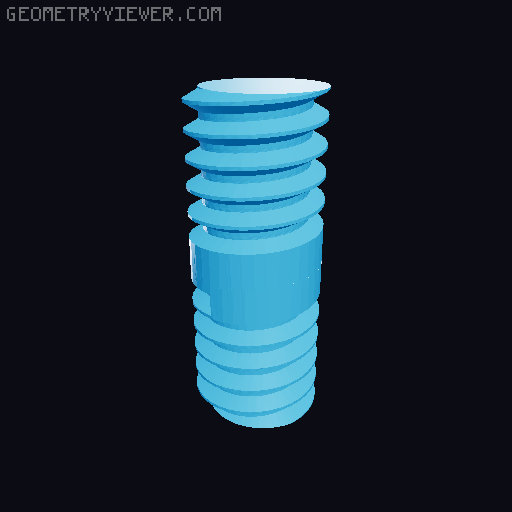
Pan & Tilt 1/4-20 Webcam Monitor Mount
by Matthew Bogner · via Printables
| Format | STL |
| Category | Gadgets |
| License | CC BY |
| Triangles | 11.0k |
| Uploaded | Jan 24, 2024 |
⬇ 201 downloads
❤ 20 likes
👁 1.2k views
Description
Most monitor mounted webcams only allow tilting up and down. I have two monitors side-by-side, and the ideal camera angle requires the camera to pan to one side for a more direct angle. I wanted a solution that was simple and ultra-minimalist. This mount supports any webcam that has 1/4-20 threads (usually for a tripod) on the bottom. I have a Logitech C920, an Anker PowerConf C200, and an AnkerWork C310, all of which have the same tripod screw on the bottom. While the pan/tilt angles can be adjusted to suit almost any need, the ball & socket are a pretty tight fit - so this is not the model for you if you are constantly wanting to adjust camera angles. The photos are with the mount and ballnut in galaxy black Prusament PETG, and the bolt in black Hatchbox PETG. Printing Instructions Orientations as shown here: 📷 Image redacted — claim this model to add your own media mount.stl: PETG 50% gyroid infill 0.4 nozzle and 0.20mm layer height Brim enabled mount-long.stl (optional): See mount.stl The bezels and rear housing on monitors are all different shapes and sizes. Modify this object in your slicer with a negative volume box to cut down the legs to whatever length is ideal for your particular monitor. ballnut.stl: PETG 50% gyroid infill 0.4 nozzle and 0.10mm layer height Brim enabled double-ended-bolt.stl: WARNING: Plastic printed screws & bolts will break. Please don't print a weak bolt with the wrong material and slicer settings and break it off inside your camera. PETG 100% infill 3 perimeters 0.4 nozzle and 0.10mm layer height Brim enabled Assembly Instructions Push the ball into the socket Gently screw the bolt into the threaded end of the ball Very gently, screw the bolt into the bottom of your webcam Adjustments Putting lateral pressure on the bolt is just asking for it to snap off in the bottom of your camera. If you need to adjust the position of the ball, use a pair of needle nose pliers around the thin neck of the ball to put it into position without the webcam attached. It's a pretty tight fit, and the pliers will give you the leverage you need to make the necessary adjustments.
Originally published on Printables





