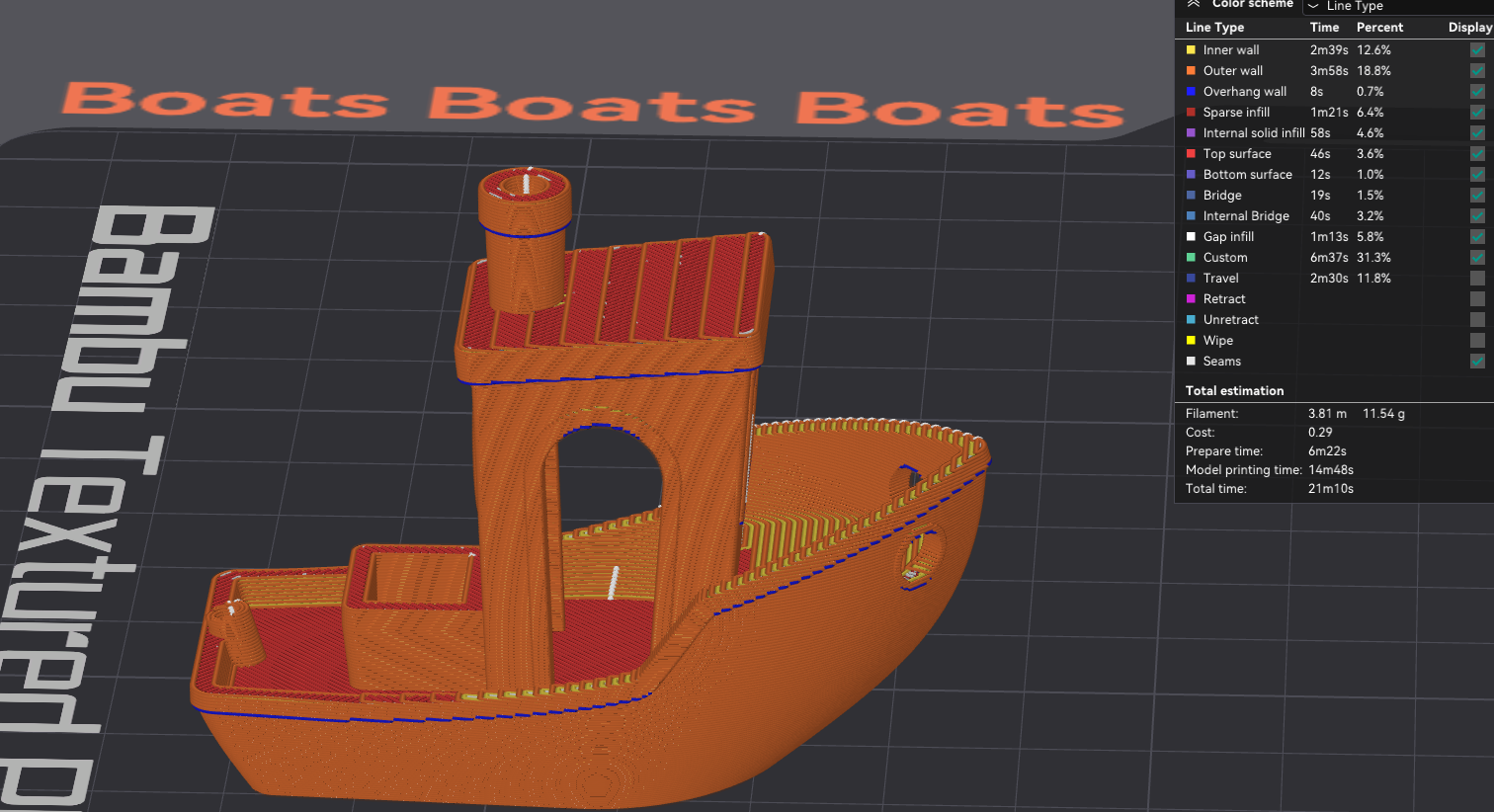
Plaid/Ludicrous Profiles for Bambu X1/P1 Printers
by dr13st · via Printables
| Format | STL |
| Category | Art |
| License | CC BY-NC |
| Triangles | 8.4k |
| Uploaded | Nov 7, 2023 |
⬇ 307 downloads
❤ 16 likes
👁 1.9k views
Description
Bambulabs X1 and P1 series printers have a very fast benchy on their SD card that prints in roughly 17 minutes. However, this speed can't be reached with default settings, even when cranking the printer into ludicrous mode. This project builds on the work of @OurAngryBadger to produce print settings that are even faster than ludicrous: PLAID These profiles use the optimized profiles by @OurAngryBadger but crank everything that makes printer go BRRRRRR up to 11. This results in surprisingly good print quality, and a 14:48min benchy . Disclaimer This will drive your printer much faster than the default settings, which will increase wear and tear and reduce print quality. If you want the best looking prints you should probably use the original, not this remix. Compatibility These profiles were created in OrcaSlicer . They might work in Bambu Studio, but I never tested them there so there are no guarantees. I tested these profiles on a Bambu P1S. The X1 series should be compatible, as should the P1P. However, I've never tested them there so be careful. Also you will run into cooling issues at these speeds on the P1P as it doesn't have the side fan. How to Install Download the .zip file, extract it somewhere on your computer, then use File → Import → Import Configs in Orca to import them. What Changed First of all, we're using speedboat settings for layer height, line width, walls, and infill: 0.25mm layers 0.5mm line width 2 walls 10% infill This means this is not intended for structural parts, but simply for draft prints. If you need more rigidity you need to increase this again. I also enabled infill combination, so we only really need to print every second infill layer. Speed I also bumped up acceleration up to 14.000 mm/s, which was the limit for my machine where it still doesn't make excessive noise and surface quality is good. You can go higher than that and the machine limits are at 20.000, so feel free to bump this even further if you're ok with increased wear and noise. I also have lower limits for visible surfaces to maintain quality. I increased speeds even past the settings used in the presliced demo benchy, but kept visible surfaces (top and outer layer) at 200 to maintain decent surface quality. I also changed the order to print the outer walls first, so the inner fast walls have something to lean on to, and the outer wall has more time to cool. Finally, I have some limits on overhang speeds to make those look good. 📷 Image redacted — claim this model to add your own media Filament Realistically, the motion system on these printers almost always outruns the hotend. However, we can increase temperatures to enable higher flow. We will still get some underextrusion and reduced layer bonding, and a tiny bit of stringing, but I was able to drive the hotend at up to 30mm3/s without quality suffering too much. You experience may vary, and if you get holes in your print you need to back off with the volumetric flow until they disappear. In my experience the benchy is particularly forgiving for underextrusion issues, but you might have to tune the flow back to 25mm3/s or lower with the standard hotend, or install a CHT nozzle clone. We also need all the cooling we can get, so the chamber fan is enabled to pull in cool air, and the aux fan is cranked to max to solidify the layers as fast as possible. 📷 Image redacted — claim this model to add your own media How to Print You need to tune your filament for this to work. The PLA profile was tested on Bambu PLA and should work with that, but if you're using sth. else you need to play with temperatures and cooling to achieve maximum volumetric flow. Also place your part in the coolest spot, which is right in front of the aux cooling fan, and leave the lid and door open.
AI Analysis: This is a small boat model designed for on Bambu X1 or P1 printers. It features a plaid pattern on the deck and a cabin structure with an open bridge area. The model includes details like railings and a smokestack for realistic appearance.
Originally published on Printables





