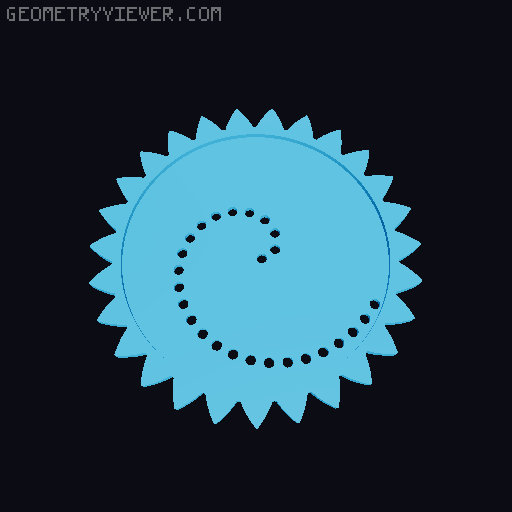
Portable Hypocycloid Drawing Kit
by kriswillcode · via Printables
| Format | STL |
| Category | Mechanical |
| License | CC BY-NC-SA |
| Triangles | 17.9k |
| Uploaded | Jul 17, 2025 |
⬇ 2.1k downloads
❤ 463 likes
👁 6.8k views
Description
Have you ever wanted draw repeating geometric patterns at any time in any place? No? Well, let's pretend you did... This handheld print conveniently combines a drawing platform with a case for the gears and paper. It easily fits into a bag, pocket, or purse. As long as you have a pen, you're good to draw! The base is designed with multiple levels. The bottom level holds the paper, the drawing gears, and, if you can find one, a small pen. The next level provides a flat, secure drawing surface; you can even make art while walking! The top level has the stationary gear teeth and holds the paper in place. Want to sell prints of this model? Check out my Printables Club! Paper and Pen This kit is designed to use Post-It Notes as paper. It requires no paper cutting, and your finished pieces of art are already self-adhesive! Almost any standard ballpoint pen can be used. A BIC pen was used for sizing, but the design works with every pen that I tested. Printing Nozzle: 0.4 mm Layer Height: 0.2 mm Infill: at least 15% (20% or more recommended) Vertical Shells: 3 Top/Bottom Layers: 5 Supports: No You'll need to print one top , middle , bottom , and latch . You can print as many gears as you want. I added a new version of the top with 31 teeth ( Top-V2.stl ). It's untested, but should create more complex patterns. For the middle layer, I suggest using 6 top/bottom layers and an infill of 25% at least. This will create a better drawing surface. The hinge is simply a length of 1.75mm filament. Make sure to cut one end to a steep angle. Assembly Snap the latch into the holes on the front of the bottom . Place the middle on top of the bottom . Be sure to pay attention to orientation: the square indent should be facing up. Place the top on the middle . Be sure to line up the hinge. Insert a straightened piece of 1.75mm filament into the side of the hinge. Rotate the filament as it's being forced in. Trim the excess filament from the hinge. Lift the top and middle parts. Place gears and Post-Its paper into the bottom . Tips If the surface texture of the middle part is creating a texture in the drawing: Reprint the part with "ironing" enabled Use an extra Post-It note or two For the hinge assembly: The hinge is meant to be stiff. It can hold the case open. You can lightly sand down the filament if it's too stiff. Rotating the filament as it's inserted helps. Cutting the end of the filament to a sharp angle helps too. Make sure the case stays closed while inserting the filament. Make sure the entire case is snapped closed before drawing!
Originally published on Printables



