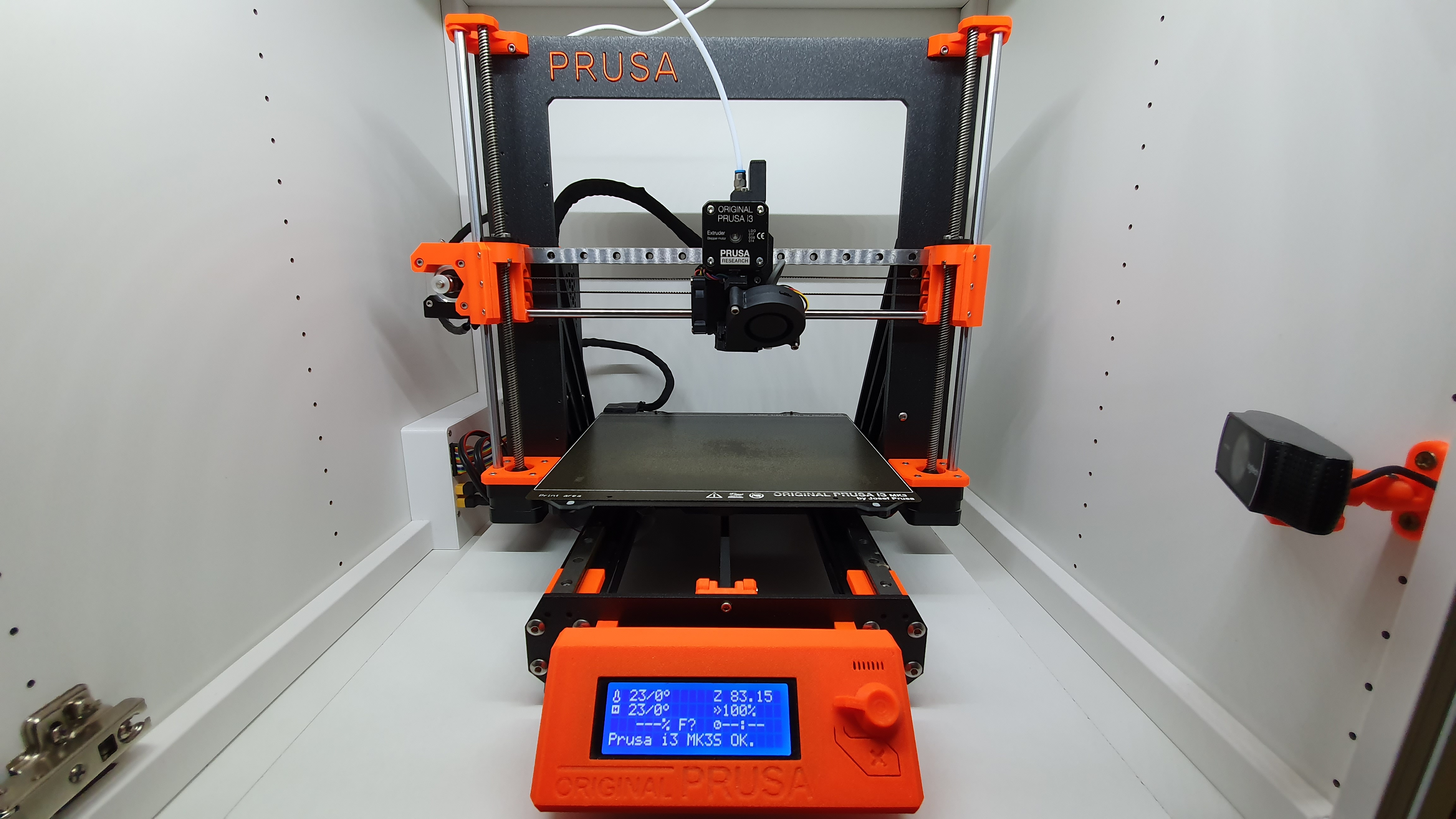
Prusa MK3 / MK3S / MK3S+ X-Axis Linear Rail Guide Upgrade - updated (Bondtech Extruder) / MK3S+ Tensioner
by KalleKnall · via Printables
| Format | STL |
| Category | Art |
| License | CC BY-NC-SA |
| Triangles | 40.8k |
| Uploaded | Jan 13, 2020 |
⬇ 3.1k downloads
❤ 589 likes
👁 37.7k views
Description
THIS DESIGN HAS BEEN STOLEN AND SOLD ON EBAY, AliExpress, Bangood etc.! PLEASE DO NOT SUPPORT SUCH SELLERS ! Once my Y-Axis Upgrade ( https://www.prusaprinters.org/prints/5620-prusa-mk3-mk3s-y-axis-linear-rail-guide-upgrade ) works great for me, I decided to have a stiffer and more robust X-Axis Carriage on my Original Prusa MK3 too. So i've designed my own X-Axis Upgrade. You can follow me, or my MK3S with my Axis Mods on Twitch. https://www.twitch.tv/dasschweigenderlamer PLEASE READ THE UPDATE HISTROY BELOW My Design works with Standard Firmware Calibration method. Easley mount the R4 Extruder to the new X-Axis base, no changes to the Extruder parts needed. There are three Back plates, one for the MK3/S, MK3S with MMU2s and another for Bondtech Extruders (added 10.04.2020). I used the Prusa R4 Parts as Template but redesigned it from the scratch. The Design let you choose between two Versions: You can use only a 350mm MGN12 Rail with a 45mm Block without a LM8UU. Or you can additionaly reuse one of your existing Rod with linear bearing to make it more robust. My first Test are only with a 350mm MGN12 Rail and no Linear bearing on the existing Rod. The original Rod give more stability to the X-Axis and helps to align the Parts. There’s is no need to cut the Rail, 350mm is a common size. It not as easy to shorten the Profiles because of their material hardness ;-) The Guide Blocks are available in two sizes. It's important to use the longer 45mm Block. After the assembly it is necessary to run at least the Z-Calibration. Until now my prints with the new X-Axis went without any Problem. Just use enough grease to avoid friction. Movement are very silent now. What You need: X-Axis Extruder base: 1x M3x10 2x M3x14 4x M3x12 Countersunk 3x M3 Square Nut 3x M3 Nut 1x MGN12 Linear Sliding Guide Block (mostly in a Set with the Rail) 1x LM8UU (optional, you can use the one of the old Bearings) X-Axis: 1x MGN12H Linear Rail Guides 350mm 6x M3x8 9x M3x18 1x M3x40 10x M3 Nut 1x M3 Lock Nut 3x M3 Square Nut 2x M3 Washer 1x GT2 Pulley 20 (optional, you could use the old Part, but not recommended) 4x LM8UU (existing Parts) 1x M3x35 (MK3S+ Style Tensioner) The Rail and Rail block are available in different quality’s, just google for MGN12. My Parts are from a Chinese Shop and for around 15€ per Kit - it's a good Quality. No further Problem, many prints are made with these Setup :) Works for me so far ! Update 25.02.2020 If the Printvolume is maxed out (over 210mm), the x-back-R4CZ1.stl Part hits the original MMU2 Holder if there ! The modified part x-back-R4CZ2.stl will fix this issue (only fitted in CAD) Update 10.04.2020 Added a Version of the X-Carriage to mount the Bondtech Extruder. New Files are: x-back-Bondtech-R4CZ2B.stl and x-front-Bondtech-R4CZ1B.stl + cad pictures. Hint: Unknown whether the LM8UU Bearing fits to this Version - untested ! THX@ Maker_Deezay for Testing ! Update 18.12.2020 Added a X-Motor-End with a "MK3S+ style belt tensioner". i don't like it much, but some people ask for an alternative tensioner. Not tested until now, my mk3s+ has not arrived yet ;-) Update 03.01.2021 Added a version with more space for the belts in the X-Carriage front part. NEW Parts: x-front-r4cz2 / x-front-mmu2s-r4cz2 Update 12.02.2021: Added NEW PARTS for HiWin Rails: x-motor-end-R6CZ3-HiWin.stl x-end-idler-R6CZ3-HiWin.stl Added NEW PARTS with some improvements to the carriage x-front-R6CZ3.stl x-front-MMU2S-R6CZ3.stl x-back-R6CZ3.stl (easier cable management) Update 18.08.2021 I've reprinted my Extruder parts with Prusament PC Carbon Fiber black - it turns out extremely nice ! Just see the new pictures (last five). Update 13.10.2021 added a Zaribo Orbiter Extruder x-carriage (x-front-R6CZ3-ZO-HiWin-ZOrbiter.stl). Use last “x-back-R6CZ3” as Backplate. Tested ! THX @ Metalek Print instructions I've printed the Parts with Prusament PETG Orange (nice Colour) and PETG Jet Black. 3-4 Perimeter 20-30% Infill No Supports needed at all. Some Holes has a layer in there to avoid support. Just push the Allen Key through the Holes to free them up. Update: My parts now printed in Prusament PC Carbon Fiber black - best choice !
Originally published on Printables





