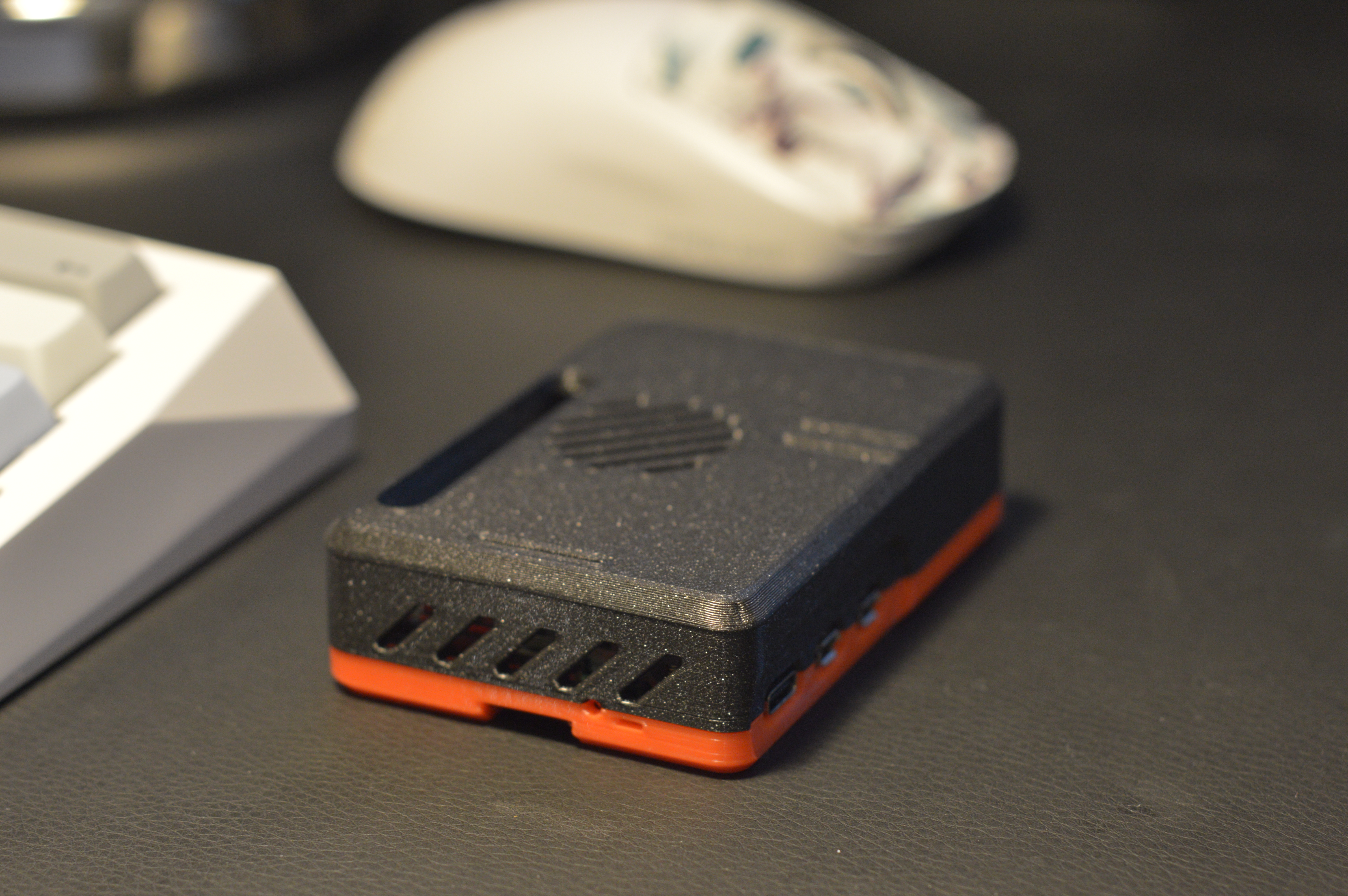
Raspberry Pi 5 Case (snap fit)
by pyrho // 25.wf · via Printables
| Format | STL |
| Category | Electronics |
| License | CC BY-SA |
| Triangles | 11.4k |
| Uploaded | Jun 11, 2024 |
⬇ 10.0k downloads
❤ 1.0k likes
👁 29.6k views
Description
📷 Image redacted — claim this model to add your own media This is a pretty tight fit and snaps in place nicely. The case was designed with the official active cooler in mind; there is an intake vent for the fan, exhaust vents at the back and some more vents above the radiator to help with heat dissipation. The reference model provided by the Raspberry Pi foundation is very accurate; that's all I used for measurements within Fusion 360 and it fitted perfectly on my Rpi5 on the first try. There is a tiny rectangular hole in the back to let the LED status indicator shine through, and another circular hole to allow the power button to be pressed (you need something pointy to press it, it's pretty deep as to prevent accidental presses). Everytime you download a model and omit to post your makes, a puppy cries t__t Post your makes! do it for the puppies! Variants There are multiple versions of the top part with various holes opened depending on your use case. There are also two versions of the bottom part, one with some vents cut out, and one without them. All the bottom and top parts fit together. User @vatbrain , created a VESA mountable remix of the bottom part. It's compatible with all top versions, you can find it over here . NVMe Base case If you're using a Pimoroni NVMe base for your Pi, check out this remix ! Thermals 📷 Image redacted — claim this model to add your own media Most of the hot air is pushed out by the active cooler's blower fan toward to back of the case. The above picture was taken while running a stress test on the Pi which maxed out all the cores for > 10 minutes. vcgencmd measure_temp reported a temperature of 61.5C. The back of the base shows as going up to 40C under a 10+ minute load. 📷 Image redacted — claim this model to add your own media Assembly Remove the SD card from the Pi (if any) Slide the Pi in the bottom part of the case The four alignment pins should be flush with the board Press down so that the board sits snugly Snap fit both parts Print instructions I printed both parts in Prusament PLA using a 0.4mm nozzle and 0.2 layer height. Print with the flat part facing the build plate. Links Raspberry Pi 5 Reference model Inspired by Malolo's legendary Pi 4 Case Changelog 2023-12-02 - v3.1.1 Made the walls around the snap fit clips a big thicker, some people reported it was breaking off too easily A small chamfer was also added to make clipping the parts together a bit smoother 2023-12-02 - v3.1.0 Added bottom_vents.stl variant, which adds slots on the bottom part. I don't think it will help with airflow (unless you stick rubber pads on the bottom of the case to elevate it a bit), but it looks cool :P 2023-11-27 - v3.0.0 Fillet on the corners for better bed adhesion (the square corners were causing warping). No brim should be needed anymore. Removed the vents over the heatsink, when the cooler is running all of the air escapes from the back, greatly overcoming the force of the passive hot air rising. I think it will also improve airflow as all the hot air will get channeled through the back (I'm not a thermodynamics experts, this is just a guess, so ymmv). 2023-11-25 - v2.0.0 Side IO openings modified to better accommodate large Micro HDMI plugs New top variants 2023-11-20 - v1.1.0 Added top without GPIO and ribbon cable cutouts 2023-11-10 - v1.0.0 Initial upload
Originally published on Printables





