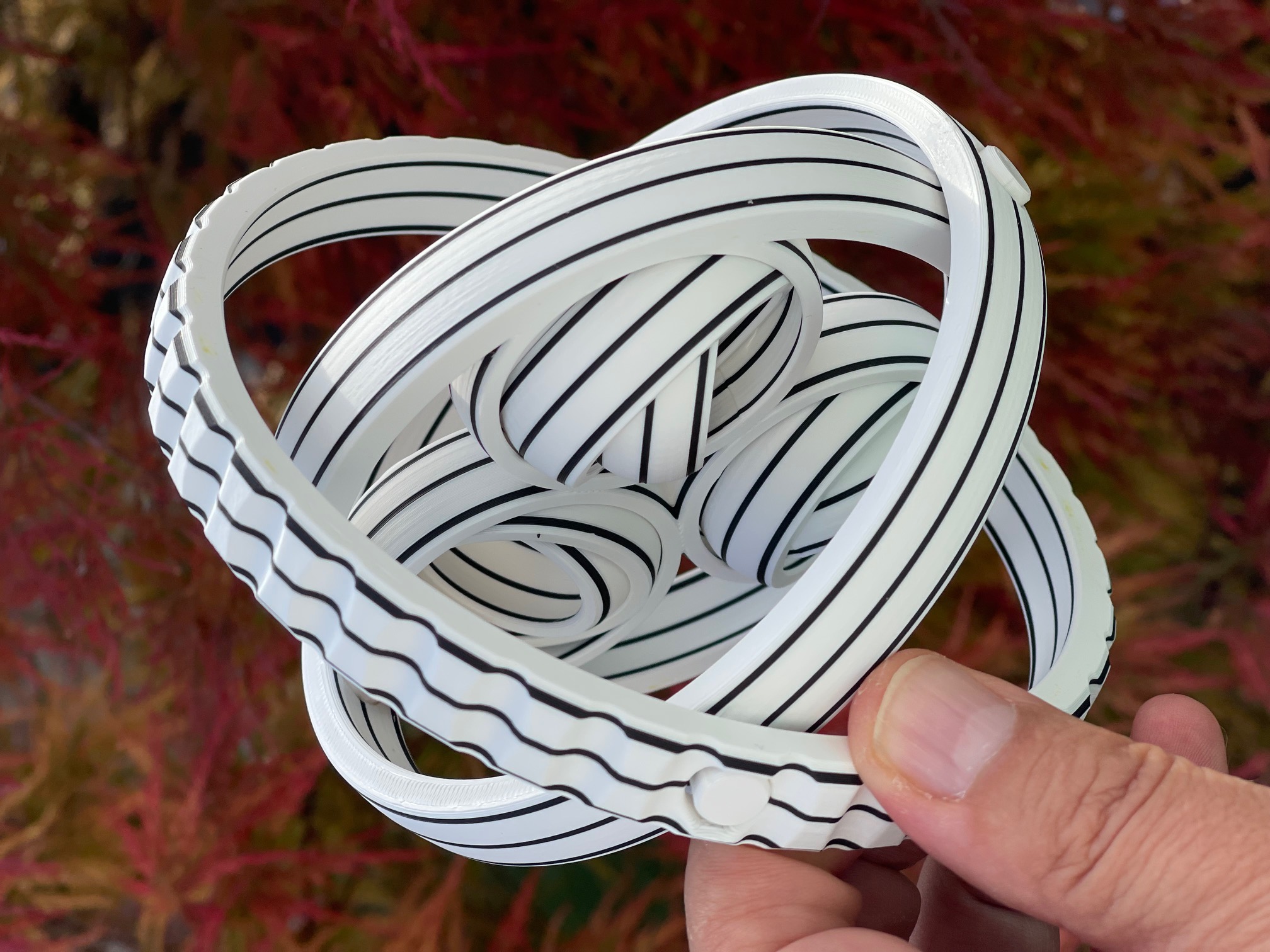
Rotating Rings Fidget
by vmLOGIC · via Printables
| Format | STL |
| Category | Other |
| License | CC BY-NC-SA |
| Triangles | 209.4k |
| Uploaded | Aug 21, 2024 |
⬇ 467 downloads
❤ 67 likes
👁 2.1k views
Description
I modified LinkDesign's amazing RotaRings model because I had issues with the original in terms of printing and stability, mainly due to the Print-in-Place axles. While I was at it, I also made the outer three rings slightly wider, which further improves the stability and handling of the fidget. Printing information The STL files are correctly aligned. Layer height: 0.2mm Perimeter: 2 Infill: 10% Support: none You should monitor the first layer's print, as many details are being printed here. Good adhesion is essential for a successful print outcome. A tip: I always use 3DLAC spray adhesive . With it, challenging first layers are no longer a problem. Just spray a little on the print bed. One spray usually lasts for five to ten prints in my experience. As you can see in the pictures, you have various options to add color to the fidget. Here are the color changes I chose for my three versions as a reference: white and black 📷 Image redacted — claim this model to add your own media start with white change to black at layer #6 (1.20mm) change to white at layer #11 (2.20mm) change to black at layer #36 (7.20mm) change to white at layer #41 (8.20mm) change to black at layer #66 (13.20mm) change to white at layer #71 (14.20mm) gold and black 📷 Image redacted — claim this model to add your own media start with gold change to black at layer #16 (3.20mm) change to gold at layer #31 (6.20mm) change to black at layer #46 (9.20mm) change to gold at layer #61 (12.20mm) black and blue/purple 📷 Image redacted — claim this model to add your own media start with black change to blue/purple at layer #21 (4.20mm) change to black at layer #52 (10.40mm) You also have the option to print the three outer rings separately . Then you can customize the color of each one individually. Assembly Instructions Assembling it is a breeze. You have two shorter and two longer dowels, which should be glued into the designated recesses with a very small amount of super glue and function as rotating axles between the outer rings. Start with the two shorter dowels; these go on the inside. Then, place the two longer ones on the outside. 📷 Image redacted — claim this model to add your own media I am looking forward to your Makes! :-) If you like this design, feel free to check out my others here .
AI Analysis: This object is a fidget toy consisting of interlocking rings that rotate when manipulated. It is designed for stress relief and provides a tactile, engaging experience through its twisting motion. The rings are white with black stripes, creating a visually appealing pattern that enhances the playability of the toy.
Originally published on Printables





