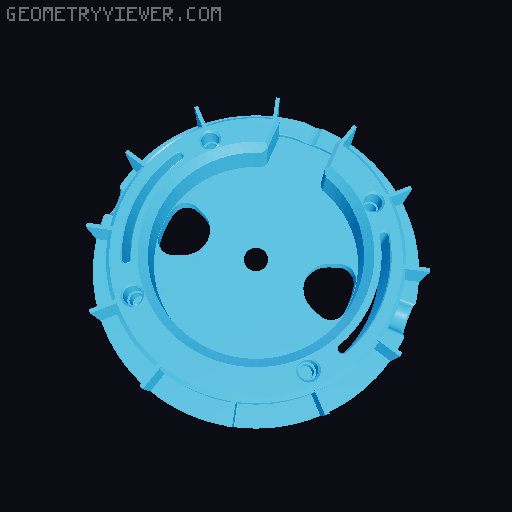
Satyr 3 Rounded Cup
by CynderFox · via Printables
| Format | STL |
| Category | Gadgets |
| License | CC BY-NC |
| Triangles | 9.0k |
| Uploaded | Dec 26, 2025 |
⬇ 10 downloads
❤ 4 likes
👁 181 views
Description
Print Settings: 3 Walls, 3 Top & Bottom Layers, 25% Gyroid Infill. 0.2mm First Layer & 0.16 Layer Height. BOM: 1) Pads: ( https://capraaudio.com/products/satyr-3-pro-pads ) 2) M3x5.7 Heat Inserts. ( https://www.amazon.com/dp/B08BCRZZS3 ) 3) M2x3 Heat Inserts. ( https://www.amazon.com/dp/B0CS6XJSSL ) 4) M3x8 or M3x10 Flat Head Counter Sunk. ( https://www.amazon.com/dp/B0B23NFKQ6 ) 5) M2x5 or M2x6 Socket Head ( https://www.amazon.com/4mm-6mm-10mm-12mm-16mm/dp/B0B93G1H9L ) 6) 3.5mm Female Jack - Round Nut ( https://www.amazon.com/dp/B0DSP5M3TJ ) 7) Drivers: HPD-50N25PR00-32 ( https://www.digikey.com/en/products/detail/peerless-by-tymphany/HPD-50N25PR00-32/6211129 ) 8) Tuning Foam. ( https://www.amazon.com/dp/B094YVX484 ) You want the one that's softest to the touch, with the least amount of shine. or you can also grab the cheaper kit. ( https://www.amazon.com/dp/B07WN8SWHR ) All Links are not Affiliated. 📷 Image redacted — claim this model to add your own media Printing Instructions (Orca Slicer): 1) Center the Cup to the bed & add a modifier to it, choose Cylinder. 📷 Image redacted — claim this model to add your own media 2) Select the modifier cylinder and make sure you disable Uniform Scale before you size it correctly. X: 79.90, Y: 79.90, Z: 4.00. 📷 Image redacted — claim this model to add your own media 3) On the Process Menu Tab, Switch over to Object and Select the Modifier Cylinder, (*Generic-Cylinder) and make sure you remove all Top Layers and Bottom Layers. (It's time to make sure you Centered and Dropped BOTH Cup and Modifier Cylinder at this time.) 📷 Image redacted — claim this model to add your own media 4) You can now choose your favourite type of infill pattern for the Modifier Cylinder. It is imperative that you make sure the density of the infill is set so that you can clearly see through the cup. Do not use an infill option that blocks out or otherwise seals the cup, it has to breathe freely and uninterrupted. 📷 Image redacted — claim this model to add your own media 5) You can use the provided Tuning Foam Disk Template. It is okay to not be perfect and to have a little excess around the exterior edges. It is not okay to have excess in the center blocking the hole, less there is better. (Ideal cuts in pictures below & realistic outcome if done by hand.) 📷 Image redacted — claim this model to add your own media 📷 Image redacted — claim this model to add your own media 6) Install grille onto the driver. For the least risk of denting the driver in, do this upside down. (Press driver itself ontop of the grille till it snaps in. If you do accidentally touch the driver and dent it in, gently use a piece of masking tape to pull the dents out. 📷 Image redacted — claim this model to add your own media 7) Pressing the Driver Housing into the Cup. Please notice that you can align the posts on the Housing agaist the M2 Heat Inserts by hand at first. When placed correctly, flip over and press against the table to sit it in. Should be friction fit. ( DO NOT PRESS THE CENTER OF THE CUP TO AVOID BREAKING 3D MESH ) 📷 Image redacted — claim this model to add your own media 8) Everything comes together by installing the Pad Frame. It will hold everything with pressure. It is normal for everything to sit wobbly at first. Please install the outter M2 Screws loosely at first before installing the M3 Screws. Make sure everything threads in properly before tightening everything down. Do not overcrank the screws, finger tight is fine. For asthetic reasons I also aligned the grille to the M3 and M2 Heat Inserts so it's perfectly centered. It will not affect sound. 📷 Image redacted — claim this model to add your own media 📷 Image redacted — claim this model to add your own media ( I will update this thread again for the wiring. )
Originally published on Printables





