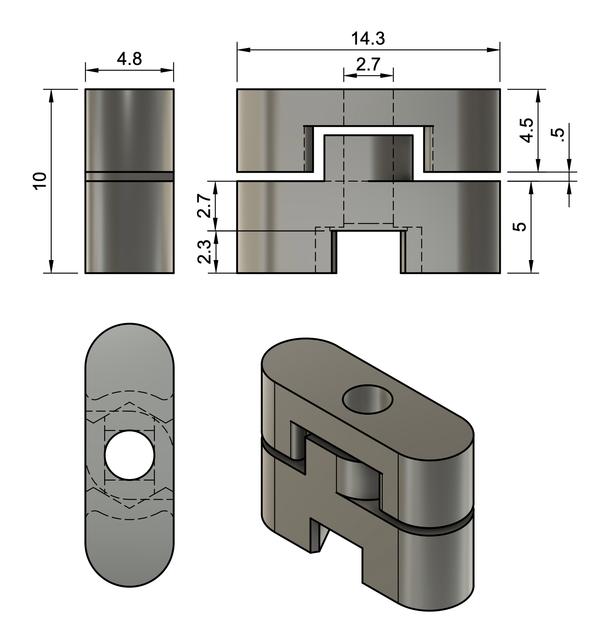
Skadis Self Align T-Nut (M2.5)
by 268layers · via Printables
| Format | STL |
| Category | Organisation |
| License | CC BY |
| Triangles | 3.7k |
| Uploaded | Aug 30, 2024 |
⬇ 62 downloads
❤ 13 likes
👁 479 views
Description
Use Tips Hole diameter = 3mm On the mounted object, put holes with 3mm diameter. The M2.5 bolt should freely move without any friction in the hole. If not, the t-nut might not rotate full 90 degrees on the other side of the board. Some friction on the spacer and t-nut is okay and even helpful. It is only the hole on the mounted object that needs more clearance. When mounting, first slowly turn the bolt 180 degress counterclockwise, then turn clockwise fast enough to make sure the t-nut rotates in place. Recommended print settings PETG, 3 perimeters, layer height 0.2mm, avoid crossing perimeters, 80~100% cooling. Expect 10% defect rate: print more parts than you need. Discard parts with stringing and only use relatively clean ones. Hardware specification Get DIN934 M2.5 bolt and nuts. Decide the length of bolt depending on the thickness of your model's “wall”. I use 14mm bolt to mount 3.5mm thick plate. Rule of thumb: bolt length - 10 mm = (your model's wall thickness)
Originally published on Printables





