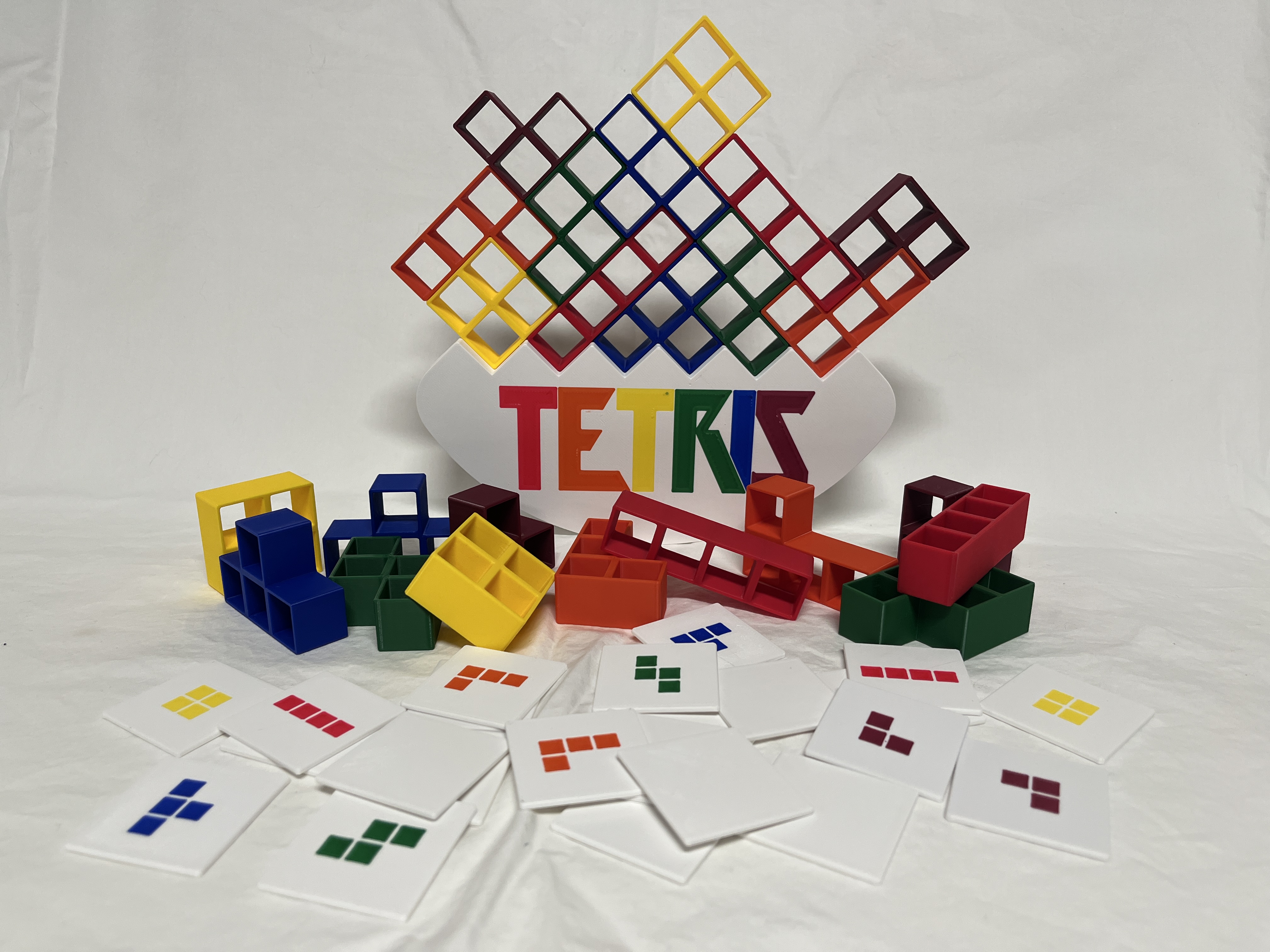
Teeter-totter Tetris
by Justin · via Printables
| Format | STL |
| Category | Other |
| License | CC BY-NC-SA |
| Triangles | 1.5k |
| Uploaded | Nov 4, 2023 |
⬇ 212 downloads
❤ 40 likes
👁 1.2k views
Description
Overview Another rendition of the popular 3D printed balance Tetris game. This version has: Six shapes to correspond to the six letters in the logo and the six “standard” colors. Corresponding draw tiles for piece selection. Completely ready for multi-color printing of the base and the tiles. Changes in this remix This remix addresses a few improvements I thought could be made to Balance Tetris by paulorfo . All of the pieces have been completely redesigned specifically focusing on symmetry and adding lots of chamfers for cleaner printing and a nicer feel in your hands. All of the fillets on the base have been replaced with chamfers for cleaner printing. The Tetris logo has been duplicate on both sides of the base and is ready for multi-color printing. The die has been replaced with multi-color draw tiles to eliminate any chance of an unbalanced die and to enhance gameplay where everyone around the table can clearly see which tile was just flipped. Instructions for printing in multiple colors. While the pieces are meant to be a solid color, the base and tiles are meant to include multiple colors. Even without a dedicate multi-material device, everything can be printed with manual color changes. Here are some basic steps to achieving multi-colored prints with a single-color printer. These steps use PrusaSlicer but I would imagine the same can be achieved in other slicers. Printer settings Change extruders to “7” (six colors plus one base color) or “2” (dual color tiles) Set Single Extruder Multi Material to true. For each extruder, set a color corresponding to what colors you plan to use. Printing the base Import the “base-base” file into the slicer. Add the “base-logo” file to the “base-base” by adding it as a part to ensure the logo lines up with the base correctly. The logo should directly overlap the debossed section of the base. Split the" base-logo" into individual letters. Assign the proper extruder/color to each letter, ensuring you also include the letters on the reverse side of the base. (See note below about printing with more than five colors). Printing the tiles Import the “tile” file into the slicer. Add one of the “tile-insert-piece-[a|b|c|d|e|f]” files to the “tile” by adding it as a part to ensure the insert lines up with the middle of the tile correctly. The insert should be perfectly centered on the tile. After confirming that the insert appears correctly on the tile, rotate 180 degrees around the Y axis to put the color change on the first layer (this is simply to produce a nicer looking, smoother face for the tile). Printing with more than five colors NOTE: This workaround requires manually editing sliced gcode files and should only be followed if you know what you're doing. You alone assume the risk of whatever may happen if this workaround doesn't work or has unpredictable results. As of this writing, PrusaSlicer can slice files with more colors than we need. However, including more than five extruders/colors crashed my MK4. I confirmed this with Prusa support. That said, slicing with five colors does work. After a bunch of testing, I found that something in the commented out data at the bottom of the gcode file is to blame even though it does not affect the finished product. A workaround that seemed to work for me was to slice the project twice: once with five colors, once with seven colors. Overwrite the comments at the bottom of the seven-color gcode file with the comments from the bottom of the five-color gcode file. This updated file includes all of the gcode commands for producing a seven color print while using the non-printer-crashing comments from the five color print.
AI Analysis: This is a set of colorful Tetris game pieces, each made of interlocking blocks in various colors. The pieces are designed to be played with the Tetris game board, which features a grid and special tiles for different shapes. The blocks are arranged in a display with the Tetris logo prominently visible in the background.
Originally published on Printables





