TRONXY VEHO4 Stepper Driver Overheat Error Fix
by 3dManiac146 · via Thingiverse
| Format | STL |
| Category | Other |
| License | CC BY-SA |
| Uploaded | Mar 29, 2026 |
⬇ 4 downloads
👁 33 views
Description
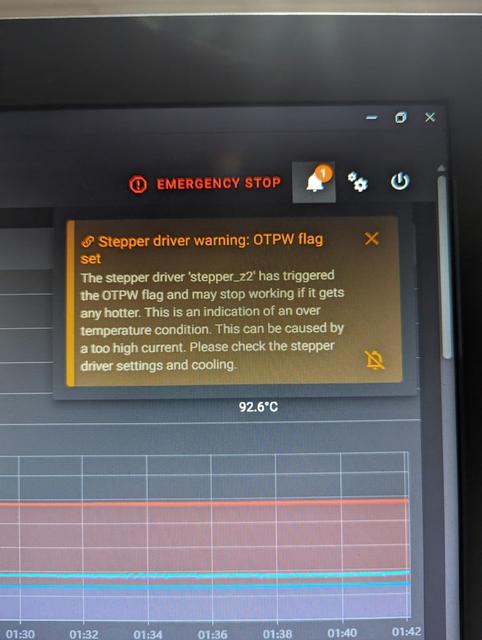
I purchased this TRONXY VEHO4 kit on Ebay for its size....400x400x400. After going thru the learning curve on this printer, it kept giving me z stepper driver overheat errors (see pic). While trying to figure out problem I contacted TRONXY support and they instructed me to pull the bottom cover and check fan operation. All fans were working so I decided to try printing with the bottom cover off. Lo & behold, no more errors. The stepper driver temp dropped between 10c & 15c as pics show. So I printed 15mm tall spacers and installed them when reinstalling the bottom cover. This requires 4mm x 20mm screws. Also I used socket head screws when it should have been pan head screws. If you don't print the spacers for the feet, the socket head screws may contact the surface your printer is sitting on. The feet raise the machine 25mm. I used TPU95a for the feet & PETG for the spacers. The after fix pic is shown after printing for 1.5 hours as before the driver temps would be in the 90's after 10 minutes of printing. Enjoy !! Edit: The temps remained stable after printing a 5.5 hour print. Never got over 80.5c Edit: After running printer all day, temps never got over 85c. No errors !!
Originally published on Thingiverse





