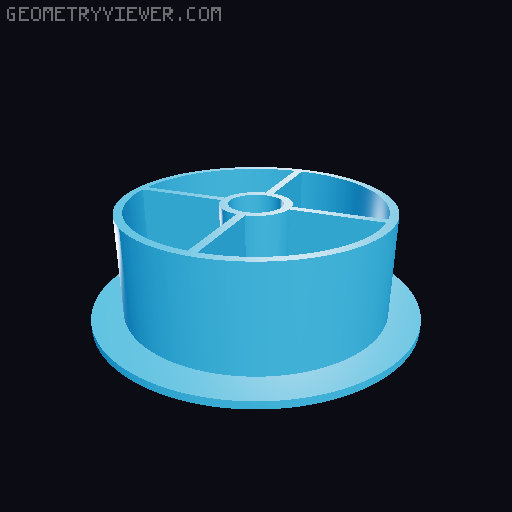
Upgrades for Filament Dry Box
by mikhart · via Printables
| Format | STL |
| Category | Electronics |
| License | CC BY-NC-SA |
| Triangles | 8.7k |
| Uploaded | Dec 10, 2023 |
⬇ 359 downloads
❤ 72 likes
👁 4.7k views
Description
Print instructions for "fullbody" roll adapters with open faces So you want to print the proposed open-faced roll adapters? Here is how: Rightclick on your part and add a cylinder modifier. Change its X and Y size to the diameter of the the roll adapter you want to print minus 2x your perimeter thickness. You can find that value in “Print settings/Layers and Perimeters” in the lower part of the "Vertical shells" dialog (it says recommended thin wall thickness ). In my case I want to print a 54 mm roll adapter with 2 perimeters. The recommended thin wall thickness for 2 perimeters is given as 0.86 mm so I substract: 54 mm - 2 x 0.86 mm = 50.28 mm This means my modifier has to be 50.28 mm wide and deep. As your Z size put value bigger than 21.5 mm (that's the total height of the roll adapter) and then center your modifier, in my case that would be 90/90/11 in the "Position" dialog. Then rightclick on your modifier and choose the option "Layers and Perimeters". There, set your bottom and top solid layers to 0. Slice your part and have a look at what it will look like. Maybe play around with the infill pattern and density. In my case I went with the honeycomb pattern at 15% infill 📷 Image redacted — claim this model to add your own media 📷 Image redacted — claim this model to add your own media
Originally published on Printables





