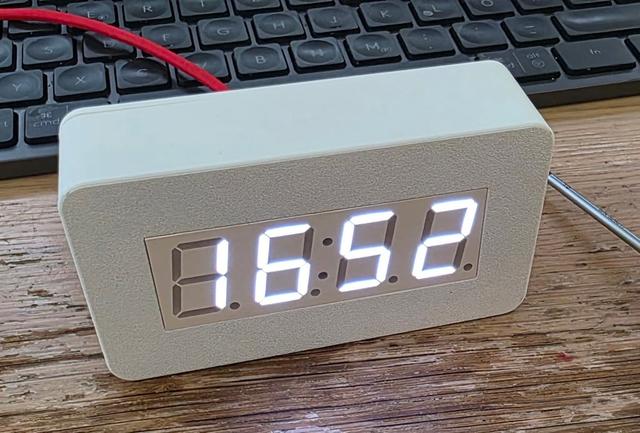
XY-Clock WiFi / Sinilink Clock
by humpaprinta · via Thingiverse
| Format | STL |
| Category | Other |
| License | CC BY-NC-SA |
| Triangles | 1.5k |
| Uploaded | Mar 31, 2026 |
⬇ 1 downloads
❤ 1 likes
👁 24 views
Description
You will need: 1x the clock itself - buy at one of those shops: https://s.click.aliexpress.com/e/_c3QOXIxb https://s.click.aliexpress.com/e/_c3wPSZcp https://s.click.aliexpress.com/e/_c2vxBwkV 6x M2.5x 10mm, Countersunk 3x M2.5x 8mm, Countersunk 2x M2.5x 5mm, Countersunk Hex drive https://s.click.aliexpress.com/e/_c4kBzxfJ Torx drive https://s.click.aliexpress.com/e/_c3qnP3i9 The power supply needed is 5V through USB, an "intelligent" USB-C Charger will not work (no trigger), you will some USB-A to USB-C cable. 1x USB C female Socket https://s.click.aliexpress.com/e/_c4sbJ8PT https://s.click.aliexpress.com/e/_c3OADhPf Assembly: -Power it up and configur it according to XY-Clock Sinilink -Solder the USB-connector to the Clock -Mount the two L feet to the clock, see picuter (needs to be printed twice...) -Mount the Clock with the feet to the base -Mount the top little Clock-holder Mount the USB-C to the back plate -Mount the back plate -Done Note: -If you require a real USB-C socket, I'll create a design for you. Note: -The margins are tight, if something doesn't fit, please let me know, I will adapt it so it fits for you. I tried with two different Clocks, both worked, but quality might be an issue...
Originally published on Thingiverse





