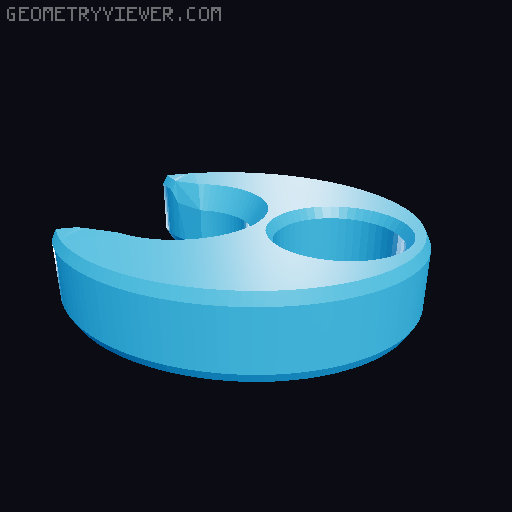
Yeethammer non-ejecting silly shells
by Astropulse · via Printables
| Format | STL |
| Category | Other |
| License | CC BY-NC-SA |
| Triangles | 1.6k |
| Uploaded | Feb 19, 2025 |
⬇ 107 downloads
❤ 24 likes
👁 1.2k views
Description
These modified silly shells are made to be loaded into the Yeethammer, then twisted (or clipped form the barrel) to prevent ejection when reloading. This lets you reload the Yeethammer much more quickly by only loading darts instead of whole shells. THERE ARE TWO KINDS OF SHELLS: “Push and twist” shells, which you load by pushing into the breach, then twisting ~22 degrees so the notches prevent the shell from ejecting. “Notch and clip” shells which can only be bottlenose or longer shells, which you load by pushing into the breach, then clipping the key on the end of the barrel sticking out. 📷 Image redacted — claim this model to add your own media The location of the shell is very precise, it allows for the shell to press into the O-ring behind the breach, but does not allow it to eject far enough to prevent closing the breach. Takes away some of the cool factor since you're not launching shells on every reload, but if you want to use the Yeethammer for long range, or you just don't want to print and carry a ton of shells, this is a great solution to make that easier. Print settings for the shells are the same as the other silly shells. The key can be printed however you want. If the fit is too tight either sand or otherwise remove material from the inside of the key. I don't recommend leaving these loaded when not in use as it is putting tension on the elastic. What is the “Yeethammer_shell_notch.stl” for? I have included several silly shells with the notch already added, but if you want to add the notches to your own shell follow this guide (or do similar in another modeling software or slicer). Bambu Studio guide: Import files, and select BOTH the shell you want to add notches to and the notch stl. 📷 Image redacted — claim this model to add your own media Load them as a single object. 📷 Image redacted — claim this model to add your own media Select each part, and move them to the same x/y coordinates , then make sure the shell is sitting on the print bed. Next, move the notch component only to "27.75 mm" in the z axis. 📷 Image redacted — claim this model to add your own media Now select the whole object and right click, then click "Mesh Boolean". (You might get an error message but you can ignore it) You now have a silly shell that you can print, insert into the Yeethammer, rotate, and it will not be ejected when you reload! Shout out to Zach Freedman/Voidstar Labs for the idea to use the slicer as a way to easily add the notches to custom silly shells.
Originally published on Printables





