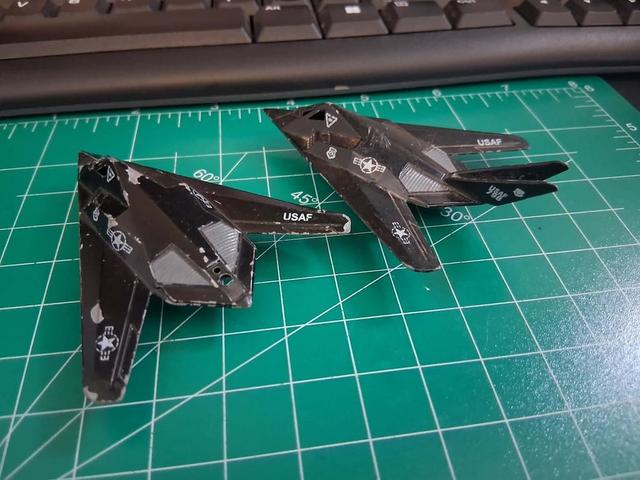
Zee/Zylmex Dyna Flights F117 Stealth Fighter Replacement Tail Section/Vertical Stabilizers With Custom Text And Markings File
by BigProjects · via Thingiverse
| Format | STL |
| Category | Art |
| License | CC BY-SA |
| Triangles | 18.4k |
| Uploaded | Apr 17, 2026 |
⬇ 2 downloads
👁 17 views
Description
Had a couple planes missing tails so I went ahead and modeled this. The engraved version is ready to go, more or less, with a .3mm text inset although I haven't test printed to see peg alignment, I included the blend file so you can easily reposition/resize the posts if needed. I also retained the base square version since I'm not too good with bevels yet and the smooth version I made isnt 100% accurate (leading/trailing edge is too flat) so you can easily mess with that if you want to. For custom text in the .blend you have to select the text in object mode, switch to edit mode, type your text or numbers, then right click with text selected in object mode, convert to curves then go to the appropriate orthographic view and knife project the curves onto the tail, lastly just extrude the faces created either inward or outward for inset or raised lettering. (Tip for new Blender users, use Face Select to highlight the numbers faster). Check faces and if needed delete overlapping faces then press Alt+LMB to select the new edge loop then press Alt+F to fix topology if you run into issues there. Hope it helps! Sorry for the little blender tutorial!
Originally published on Thingiverse





